How StarRocks Stores Your Data: A Walk Through the Archive
From catalogs down to data pages, explained with one simple analogy.
If you've ever wondered why an analytical database like StarRocks can answer a question over billions of rows in under a second, the answer isn't that it reads data incredibly fast. The real secret is that it avoids reading most of the data at all.
To understand how it pulls that off, you need to understand how StarRocks organizes data, from the top-level catalog all the way down to individual data pages on disk. The official terminology can feel overwhelming at first: catalogs, partitions, tablets, rowsets, segments, zone maps... So in this post, I'll explain every layer using a single analogy: a company's paper archive.
By the end, we'll follow one piece of data through its entire journey, from being loaded to being queried, and you'll see how every layer contributes to the same goal: skip as much as possible.
Coming from years of operating ClickHouse, I'll also point out where the concepts map to things ClickHouse users already know.
The running example
Throughout this post, imagine an e-commerce company with an orders table. Millions of orders arrive every day, and each one has:
order_iduser_idcountryamountdt(the order date)
The big picture
StarRocks stores data like a set of nested boxes. From the outermost to the innermost:
Catalog → Database → Table → Partition → Tablet → Rowset → Segment → Page
The first four layers are logical. They're the things you name and see when you write SQL. They're managed by the FE (Frontend), the brain of the cluster, which only stores metadata: what exists and where it lives.
The last four layers are physical. They're the actual data sitting on disk, stored and processed by the BEs (Backends), the workers of the cluster.
Keep one sentence in mind as we go through each layer:
The whole structure exists so that, when a query arrives, StarRocks can skip as much data as possible without reading it.
1. Catalog: Which building are we in?
Our company has its own archive building. But sometimes, you need to look at files stored in a partner company's building.
- Your own building is the
default_catalog. These are StarRocks' native tables. The data lives on StarRocks' own storage, and StarRocks fully controls how it's organized. Everything else in this post (tablets, rowsets, pages) applies to this building. - Other buildings are external catalogs. The data lives somewhere else, usually in a data lake (Iceberg, Hive, Hudi or Delta Lake tables on S3) or in another database like MySQL. StarRocks goes there and reads the data in place, without copying it.
Why does this matter? It lets you avoid storing data twice and building ETL pipelines just to query it. The trade-off is that walking to another building takes time: reading from object storage is slower than reading native tables. That's why frequently used external data is usually cached, turned into a materialized view, or loaded into a native table.
Any table can be addressed by its full name:
SELECT * FROM iceberg_catalog.sales.orders;2. Database: Which department?
Inside the building there are departments: Sales, Finance, Marketing. That's a database.
A database is purely organizational. It groups tables, and it's where you apply permissions and quotas. There's no separate file on disk for it; it's just a name and a set of rules.
3. Table: Which kind of document?
In the Sales department, there's a document type called "Orders". That's our table.
Here's the important part: the decisions you make when creating a table determine how the data is physically laid out on disk, and they're hard to change later. You're really making five decisions:
CREATE TABLE orders (
    order_id  BIGINT,
    user_id   BIGINT,
    country   VARCHAR(8),
    amount    DECIMAL(10,2),
    dt        DATE
)
PRIMARY KEY (order_id, dt)                      -- 1. table model
PARTITION BY date_trunc('day', dt)              -- 2. partitioning
DISTRIBUTED BY HASH(user_id) BUCKETS 8          -- 3. bucketing
ORDER BY (user_id)                              -- 4. sort key
PROPERTIES ("replication_num" = "3"); -- 5. replicas- Table model: What happens if the same order arrives twice? Keep both (Duplicate Key), add them up (Aggregate Key), or keep only the latest (Unique Key or Primary Key)?
- Partitioning: Which cabinets does the data go into?
- Bucketing: How many drawers per cabinet, and which rule decides the drawer?
- Sort key: In what order are the papers arranged inside a drawer?
- Replicas: How many copies of each drawer do we keep?
Let's open each of these up.
4. Partition: One cabinet per day
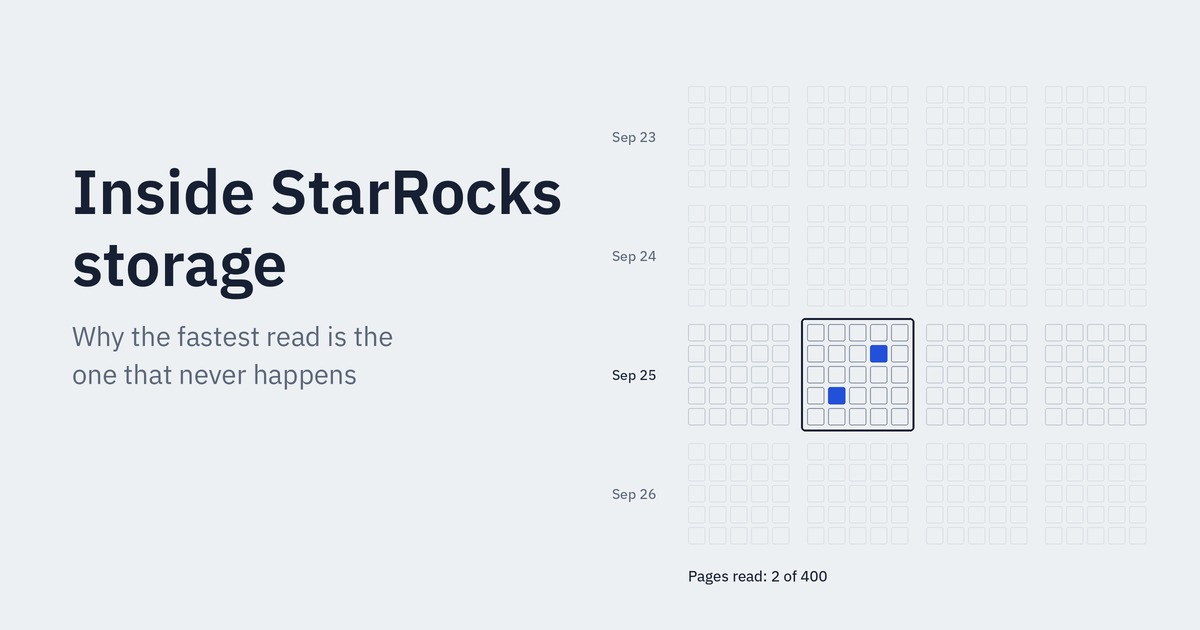
In the archive, orders are stored in cabinets by day. September 25th orders go in one cabinet, September 26th in another.
This gives us two big wins.
First, faster searches. If someone asks for September 25th orders, you open just that cabinet. You don't even touch the other 364. This is called partition pruning.
Second, easy cleanup. When the company says "throw away records older than a year", you don't sort through individual papers. You remove the old cabinets entirely, and it happens instantly (DROP PARTITION).
There is a balance to find, though. Make the cabinets too small (say, one per hour, each holding three sheets of paper) and you end up with thousands of half-empty cabinets that are painful to manage. Make them too big (one cabinet for everything) and you can't skip anything when searching. For most workloads, daily partitions hit the sweet spot.
5. Tablet: The drawers inside each cabinet
A single day's cabinet can still be huge, so it's divided into drawers, say 8 of them.
Which order goes into which drawer? There's a rule: run the user_id through a formula (a hash), and the result is the drawer number. That way, all orders from the same customer always end up in the same drawer. This is called bucketing, and each drawer is called a tablet.
The tablet is the most important physical unit in StarRocks, because almost everything happens at the tablet level:
- Replication: Each drawer has three photocopies, kept in three different rooms (on different BE servers). If one room burns down, the other two still have a copy.
- Repair: The FE constantly checks on things. If a copy is lost or falls behind, it makes a fresh copy from a healthy one and puts it in another room. This is called a clone, and it happens automatically.
- Balancing: If one room gets too full, the FE moves some drawers to emptier rooms.
- Parallelism: When a query comes in, all 8 drawers can be searched by 8 different workers at the same time.
Bucketing also helps with searching. If someone asks for "all orders from customer 5", you run the formula and go straight to a single drawer. This is called bucket pruning.
What can go wrong? If you pick a bad bucketing rule (say, country, when 90% of your orders come from one country), one drawer overflows while the others sit nearly empty. This is data skew: the worker searching the overloaded drawer does most of the work, and everyone else waits for them.
The total number of tablets is simply partitions × buckets. Thirty days with 8 buckets each gives 240 tablets; with three replicas, that's 720 drawer copies spread across the cluster.
6. Rowset: Every delivery is its own box
Now for the most interesting part. Papers don't go into a drawer one by one. Data arrives in deliveries: every ten seconds, a truck shows up with a batch of new orders.
The archivist doesn't unpack each delivery and file every sheet in its proper place. That would be far too slow. Instead, they put the whole delivery into the drawer as a sealed box and write a sequence number on it: Box 6, Box 7, Box 8...
That box is a rowset, and its sequence number is a version. Once a box is placed in a drawer, it is never opened or modified. Rowsets are immutable.
ClickHouse users: a rowset is essentially a part. Every load creates a new one.
This design has a lovely side effect. Suppose someone is looking through a drawer and a new box arrives while they're doing it. They simply say "I'm reading up to Box 7", and they never see a half-finished delivery. That's consistent reads through MVCC.
A delivery also enters the drawer in clear steps:
- Write: The box is written to the replicas.
- Commit: Once a majority of replicas have it (two out of three), the FE records the transaction.
- Publish: The FE announces to everyone: "Box 8 is now valid."
- Visible: From that moment, the data shows up in queries.
When boxes pile up: compaction
If a box arrives every ten seconds, by the end of the day a drawer holds thousands of tiny boxes. Anyone looking for something has to open every single one, which is painfully slow.
So a background worker keeps busy opening small boxes and merging them into bigger ones. This is compaction, and it comes in two flavors:
- Cumulative compaction: frequently merges the newest small boxes. Light and fast.
- Base compaction: occasionally merges everything into one big base box. Heavier, but less frequent.
[0-5] [6-6] [7-7] [8-8] → cumulative → [0-5] [6-8] → base → [0-8]
The most common problem: "too many versions"
If deliveries arrive faster than the worker can merge them, boxes keep piling up. Past a certain limit, the archive refuses: "This drawer is full, no more deliveries." In StarRocks, that's the "too many versions" error, and new loads get rejected.
The fix is almost always the same: make fewer, bigger deliveries. Instead of a small truck every ten seconds, send a big one every minute.
ClickHouse users: this is exactly the same problem as "too many parts", with exactly the same fix.
7. Segment: The file inside the box
A box (rowset) is a logical concept. Inside it are the files that actually exist on disk. These are segments (.dat files). A small delivery fits in a single file; a very large one is split into several, each up to roughly 1 GB by default.
A segment file is well organized, a lot like a book:
- The main text (data region): This is where the data lives, but it's written column by column, not row by row. First all the
order_ids, then all theuser_ids, then all thecountryvalues, and so on. If a query only needsamount, it reads only theamountsection. - The indexes (index region): Small summaries per column that describe what's where. (We'll meet them shortly: zone maps, bitmap indexes and bloom filters.)
- The table of contents (prefix index): Because data is sorted by the sort key, a small entry is recorded every 1,024 rows saying "this section starts with this value".
- The back cover (footer): A map of the whole file: where each column starts, where the indexes are, and a checksum to detect corruption.
When StarRocks reads a segment, it reads the footer first. Nothing is read before it knows where to look.
┌──────────────────────────────────┐
│ DATA REGION                      │
│   Column A → Page, Page, Page    │
│   Column B → Page, Page, Page    │
├──────────────────────────────────┤
│ INDEX REGION (per column)        │
│   Ordinal index                  │
│   Zone maps                      │
│   Bitmap index (optional)        │
│   Bloom filter (optional)        │
├──────────────────────────────────┤
│ SHORT KEY (PREFIX) INDEX         │
├──────────────────────────────────┤
│ FOOTER                           │
└──────────────────────────────────┘
8. Data page: The pages of the book
Each column inside a segment is split into pages, each around 64 KB. A page is the smallest unit that can be read. Even if you only need one value, you have to pull out and decompress the entire page it lives on.
ClickHouse users: think of a page as roughly the equivalent of a granule.
To save space, pages are shrunk in two steps.
First, they're encoded cleverly. If the word "Netherlands" appears a million times in the country column, writing it out every time would be wasteful. Instead, a small dictionary is kept ("Netherlands = 1, Turkey = 2"), and the page just stores 1, 2, 1, 1... This is dictionary encoding. Numbers get their own smart encodings too, like bit-shuffling, which rearranges bytes so they compress much better.
Then, they're compressed, with LZ4 by default (fast), or ZSTD (smaller, a bit more CPU).
Frequently read pages are also kept decompressed in memory in the page cache, so repeated queries don't have to touch the disk at all.
So far, we've seen how data is stored. Now for the real magic: how it's skipped.
9. Zone maps: The label on the edge of each page
Imagine every page has a small label on its edge: "Amounts on this page range from 10 to 500."
If someone asks for orders with an amount greater than 1,000, you don't need to open this page at all. You glance at the label, see the maximum is 500, and move on.
That's a zone map. For every column, StarRocks stores the minimum and maximum values (and whether there are nulls) for every page and every segment. They're created automatically; you don't have to configure anything.
WHERE amount > 1000

Page 1: min=10,  max=500   → skip
Page 2: min=200, max=900   → skip
Page 3: min=800, max=5000  → read
But there's one crucial condition: the data has to be sorted.
Think about it. If pages are sorted by date, each page's label is narrow ("September 1 to 3"), and when a date is searched, most pages get skipped. But if a column is randomly scattered, every page contains both tiny and huge values. The label says "somewhere between 10 and 50,000", and no page can ever be skipped. The label becomes useless.
This is exactly why choosing the sort key matters so much. Put your most frequently filtered column in the sort key, the data gets sorted by it, zone maps become narrow, and queries read very few pages.
10. What about columns that aren't sorted?
You can only put a few columns in the sort key. So what about columns like country or user_id that aren't in the sort key but still get filtered all the time? Their page labels will be wide, and zone maps won't help. This is where two extra helpers come in.
Bitmap index: A list of "which rows have this value"
For every distinct value in a column, StarRocks keeps a list of which rows contain it:
Row:      1    2    3    4    5
country:  NL   TR   NL   DE   NL

NL → 1 0 1 0 1   (rows 1, 3, 5)
TR → 0 1 0 0 0   (row 2)
DE → 0 0 0 1 0   (row 4)
Ask for Dutch orders, and you look at the NL list and jump straight to rows 1, 3 and 5.
The real power shows up with multiple filters. Ask for orders from the Netherlands and from mobile devices, and you simply lay the NL list over the mobile list and keep the positions where both have a 1. For a computer, that's one of the fastest operations there is: a bitwise AND.
When is it a good fit? Columns with a small number of distinct values: country, city, status, device type. Since there's one list per distinct value, a column with millions of distinct values (like user_id) would need millions of lists, and the index would become huge and much less useful.
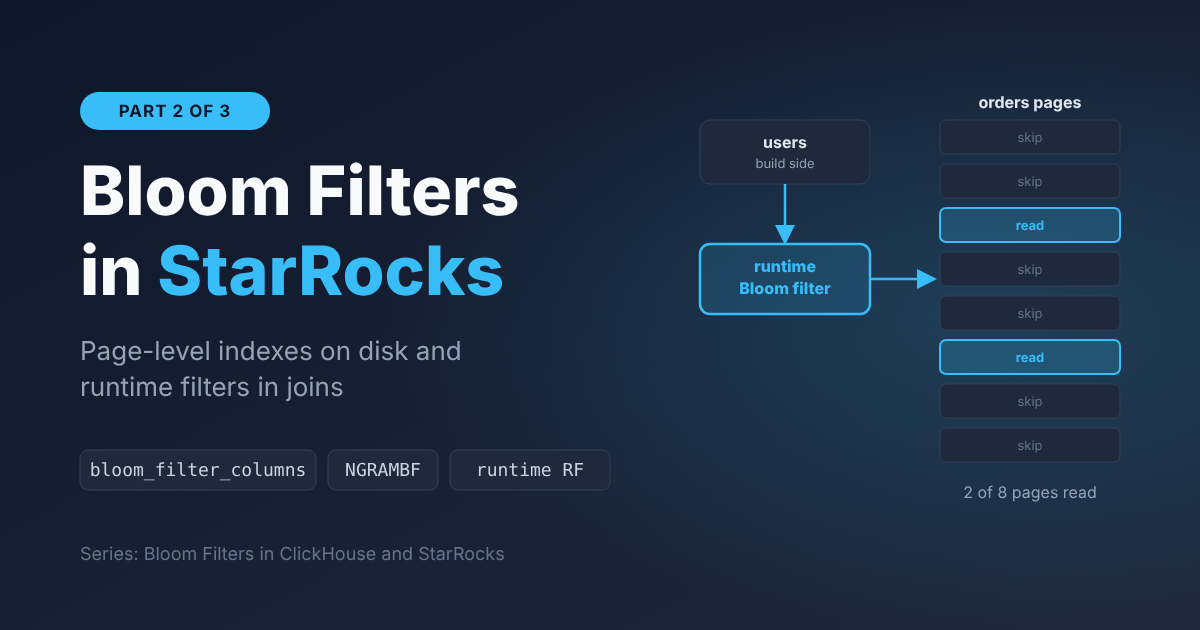
CREATE INDEX idx_country ON orders (country) USING BITMAP;Bloom filter: The guard at the door
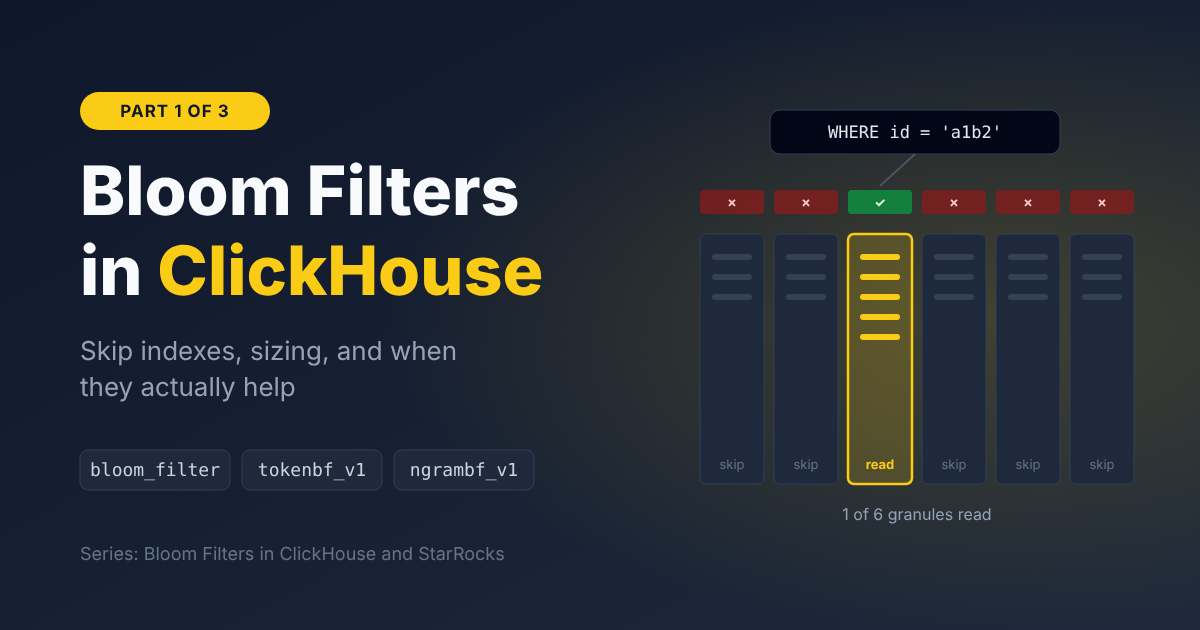
Now the opposite situation: a column like user_id with millions of distinct values. A bitmap would be enormous here. Instead, every page gets a guard at the door.
You ask the guard: "Is customer 12345 on this page?" The guard gives one of two answers:
- "Definitely not." You skip the page without opening it.
- "Maybe." You open the page and check.
The guard has a strange but very useful property: when they say "no", they are never wrong. When they say "maybe", they're occasionally wrong: you open the page and the customer isn't there. So you'll sometimes open a page for nothing, but you will never miss something you're looking for. In exchange for that small error rate, the guard takes up very little space.
Here's how it works under the hood. There's an array of bits and a few formulas (hash functions). When a value is added to a page, it's run through each formula and the matching bits are set to 1. When you ask about a value, it goes through the same formulas: if even one of those bits is 0, the value was definitely never added. If all of them are 1, either it was added, or other values happened to set the same bits by coincidence.
When is it a good fit? Columns with many distinct values, searched with equality only: user_id = 12345, trace_id = 'abc...'. It doesn't help with range filters (> or <), because you can only ask the guard "is this exact value here?"
ALTER TABLE orders SET ("bloom_filter_columns" = "user_id");Choosing between them
The decision is actually simple:
- If a column is filtered very often, put it in the sort key. That's the most powerful option.
- If it's not in the sort key and has few distinct values, use a bitmap index.
- If it's not in the sort key, has many distinct values, and is searched by equality, use a bloom filter.
| Index | Best for | Filters | Created |
|---|---|---|---|
| Prefix index | Sort key columns | =, ranges | Automatically |
| Zone map | Sorted / clustered columns | =, ranges | Automatically |
| Bitmap | Low to medium cardinality | =, IN, AND/OR combos | Manually |
| Bloom filter | High cardinality | =, IN | Manually |
Every index has a cost: it takes disk space and slows down loading a little. So the rule isn't "add them to every column", it's "add them only to columns you actually filter on".
11. Putting it all together
The journey of a single order being loaded
On September 25th, customer 12345 from the Netherlands places an €80 order.
- The order arrives together with others as a delivery (a load).
- The FE looks at the date: it belongs in the September 25th partition.
- It runs
user_idthrough the hash formula: it goes to tablet 3. - The three BEs holding copies of tablet 3 write the data as a new rowset.
- Inside the rowset, the data is written into a segment file: column by column, sorted by the sort key, split into pages, encoded and compressed. For every page, a zone map is created, along with any bitmap and bloom filter indexes defined on the table.
- Once two copies are written, the FE commits and then publishes. The order is now visible.
- Later, in the background, compaction merges this small rowset with others.
The journey of a query
An analyst runs:
SELECT SUM(amount)
FROM orders
WHERE dt = '2026-09-25' AND user_id = 12345;
StarRocks' goal: read the smallest possible amount of data. Let's watch what gets skipped:
- Partition pruning: Only the September 25th cabinet. The other 364 days are skipped.
- Bucket pruning: Hash the
user_id, go only to tablet 3. The other 7 drawers are skipped. - Segment zone maps: Check each segment's label; segments that can't match are skipped.
- Prefix index and page zone maps: Use the sort key to find the relevant row range; non-matching pages are skipped.
- Bloom filter: For the remaining pages, ask the guard: "Is 12345 here?" Every "definitely not" is skipped.
- Only the few remaining pages are read and decompressed, and only for the
amount,user_idanddtcolumns.countryandorder_idare never touched. - The result is summed and returned.
Out of a table with billions of rows, StarRocks may have read only a handful of pages.
The secret to StarRocks' speed isn't reading fast. It's not reading.
12. Why this matters when things go wrong
If you ever operate or support StarRocks in production, this structure isn't just theory. Most real-world problems come from one of these layers being used the wrong way, and knowing the layers tells you where to look first:
- "Loads are being rejected with 'too many versions'." → The rowset layer. Too many small loads, and compaction can't keep up. Batch your loads into fewer, larger ones.
- "Queries are slow." → The skipping layers probably aren't working. The filter doesn't match the sort key (so zone maps can't skip anything), or a bitmap or bloom filter is missing where it's needed. The query profile shows exactly how many rows were skipped at each stage.
- "One server is overloaded while the others are idle." → The tablet layer. A poor bucketing column is causing data skew.
- "The whole cluster feels sluggish and the FE is struggling." → The partition layer. Overly fine-grained partitions created hundreds of thousands of tiny tablets, and the metadata is ballooning.
- "We lost a server. Is our data gone?" → Tablet replicas. With three copies, nothing is lost, and the FE automatically re-creates the missing replicas on healthy nodes.
TL;DR
A catalog represents a data source, with default_catalog holding StarRocks' native tables. A table is split into partitions (usually by date), and each partition into tablets through hash bucketing. The tablet is the unit of replication and balancing. Every load adds a new immutable rowset with a new version, and compaction merges rowsets in the background. Each rowset consists of columnar segment files, where every column is stored in pages of around 64 KB, encoded and compressed.
When a query runs, StarRocks tries to read as little as possible: partition and bucket pruning first, then zone maps at the segment and page level, the prefix index on the sort key, and bitmap or bloom filter indexes. Only then does it read the few pages it actually needs.