Bloom Filters in Analytical Databases, Part 3: ClickHouse vs StarRocks
Series: Bloom Filters in ClickHouse and StarRocks Part 1: ClickHouse · Part 2: StarRocks · Part 3: Side-by-side (you are here)
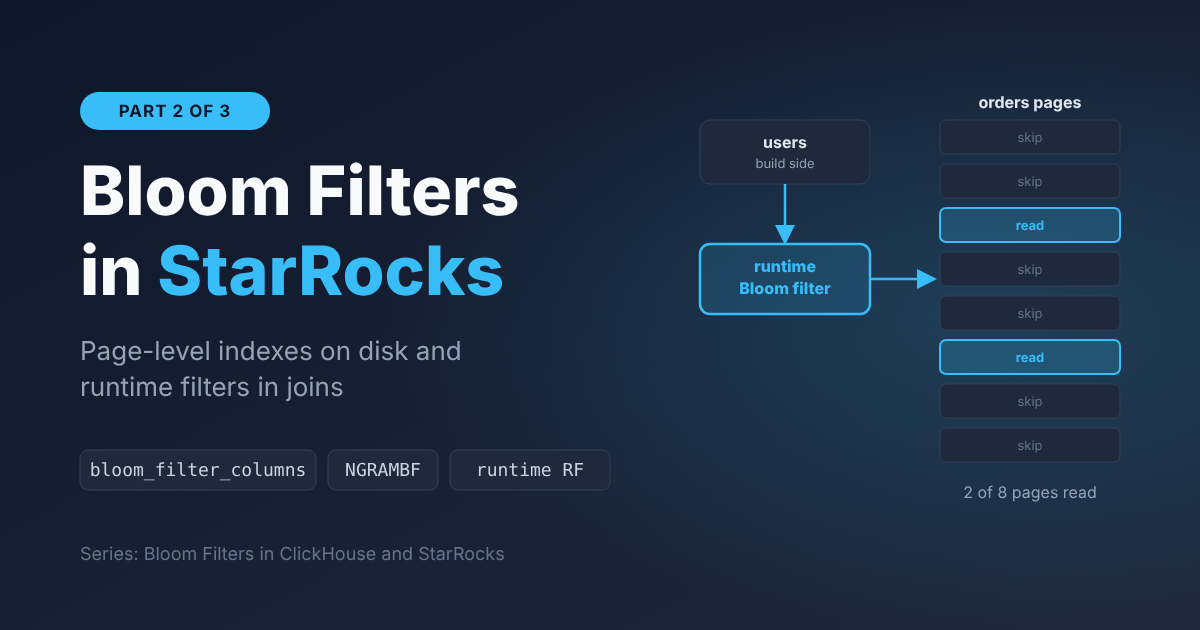
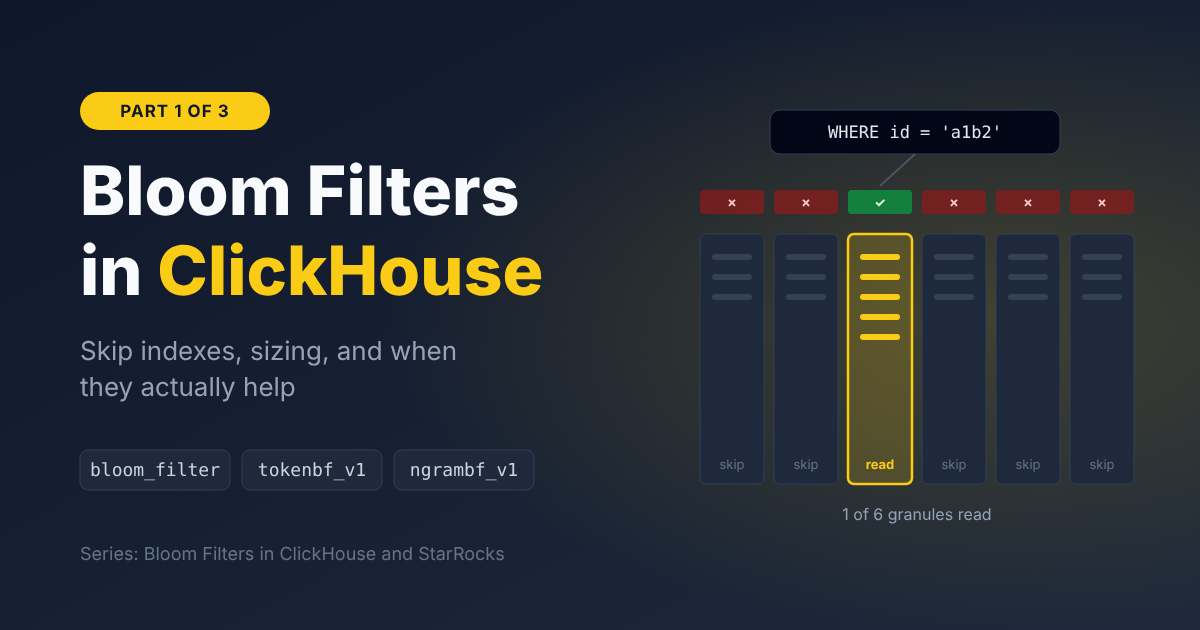
In Part 1 we went deep on ClickHouse's Bloom filter skip indexes. In Part 2 we did the same for StarRocks: page-level indexes on disk and runtime filters in joins.
This post puts them next to each other. It's not a "which database is faster" post. Both use the same data structure, with the same math and the same limits. What differs is where they put it, how much control they give you, and how they tell you whether it worked. Those differences decide which one is easier to get right for a given workload.
At a glance
| ClickHouse | StarRocks | |
|---|---|---|
| How you declare it | INDEX ... TYPE bloom_filter(p) GRANULARITY n | PROPERTIES ("bloom_filter_columns" = "a,b") |
| What one filter covers | GRANULARITY × 8,192 rows (you choose) | One data page, ~64 KB (fixed) |
| False positive rate | Tunable per index (default 2.5%) | Fixed 5% for the classic index |
| What you can index | Any expression: columns, lower(x), arrays, mapKeys(), mapValues() | Plain columns of supported types |
| Operators | =, IN, has, hasAny, hasAll | =, IN |
| Existing data after adding an index | Not indexed until you run MATERIALIZE INDEX | Rebuilt by the async alter job |
| Substring search | ngrambf_v1 (deprecated) → text index | NGRAMBF (Beta) |
| Full-text search | text index (GA since 26.2) | Inverted index / GIN (since 3.3, Beta) |
| Join runtime filters | Since 25.10, on by default since 26.2 | Long-standing, local and global |
| How you check it | EXPLAIN indexes = 1, before running | Query profile BloomFilterFilterRows, after running |
The rest of the post walks through each row and what it means in practice.
1. The unit of skipping: granules vs pages
Both systems keep one Bloom filter per chunk of a column and skip the chunks whose filter says "no". The difference is how that chunk is defined.
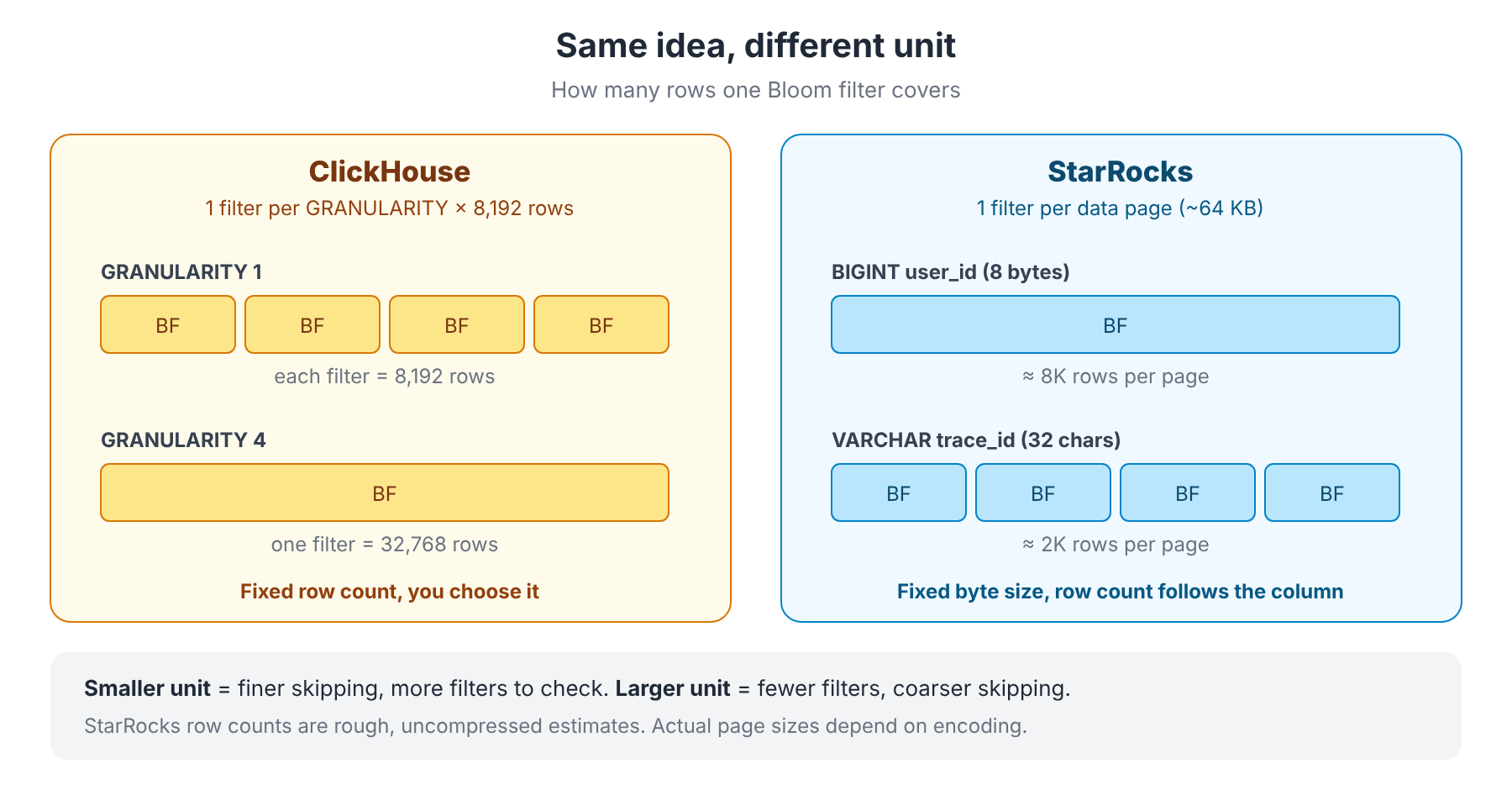
- ClickHouse counts rows. One filter covers
GRANULARITYgranules of 8,192 rows each. You decide:GRANULARITY 1for fine skipping, a larger value for less index metadata. - StarRocks counts bytes. One filter covers one data page of about 64 KB. How many rows that is depends on the column: a narrow
BIGINTfits many more values per page than a 32-characterVARCHAR.
What this means in practice:
- With StarRocks, wide string IDs automatically get finer filters than narrow numeric ones, without you doing anything.
- With ClickHouse, you get predictable, tunable blocks, but you have to pick the size. A large
GRANULARITYon a high-cardinality column silently makes each filter fuller and less useful.
Neither is better in general. ClickHouse gives you the knob; StarRocks picks a sensible default and doesn't let you change it.
2. Stored indexes: control vs convenience
False positive rate
ClickHouse lets you choose per index: bloom_filter(0.01) gives a ~1% false positive rate at ~9.6 bits per distinct value. The default is 2.5%.
StarRocks' classic index has no such setting. Under the hood it targets 5% (~6.2 bits per distinct value). That's a deliberate trade: smaller filters, a bit more wasted reads. For most ID lookups, the difference between 1% and 5% matters much less than whether the data is clustered (section 6).
What you can index
This is where ClickHouse is clearly more flexible:
-- ClickHouse: index an expression, an array, or map keys/values
INDEX idx_email_lower lower(email)             TYPE bloom_filter(0.01) GRANULARITY 1,
INDEX idx_tags        tags                     TYPE bloom_filter(0.01) GRANULARITY 1,
INDEX idx_attr_keys   mapKeys(LogAttributes)   TYPE bloom_filter(0.01) GRANULARITY 1
StarRocks indexes plain columns only, from a fixed list of types (SMALLINT, INT, BIGINT, LARGEINT, CHAR, VARCHAR, STRING, DATE, DATETIME). There's no Bloom filter on arrays, maps or expressions. On Aggregate and Unique Key tables, only key columns can have one.
If your schema leans on Map attributes (typical for OpenTelemetry-style logs and traces), ClickHouse has a real advantage here.
Adding an index to a table that already has data
Each system has its own trap:
| ClickHouse | StarRocks | |
|---|---|---|
| Add | ALTER TABLE t ADD INDEX ... | ALTER TABLE t SET ("bloom_filter_columns" = "...") |
| Existing data | Not indexed until ALTER TABLE t MATERIALIZE INDEX ... | Rebuilt by an async alter job |
| Progress | system.mutations | SHOW ALTER TABLE COLUMN |
| Classic mistake | Forgetting MATERIALIZE INDEX, then wondering why old partitions don't skip | The property replaces the whole list, so a typo drops an index you meant to keep |
3. Text search: both are moving past Bloom filters
Both systems started with Bloom filter variants for text and are now moving to real inverted indexes.
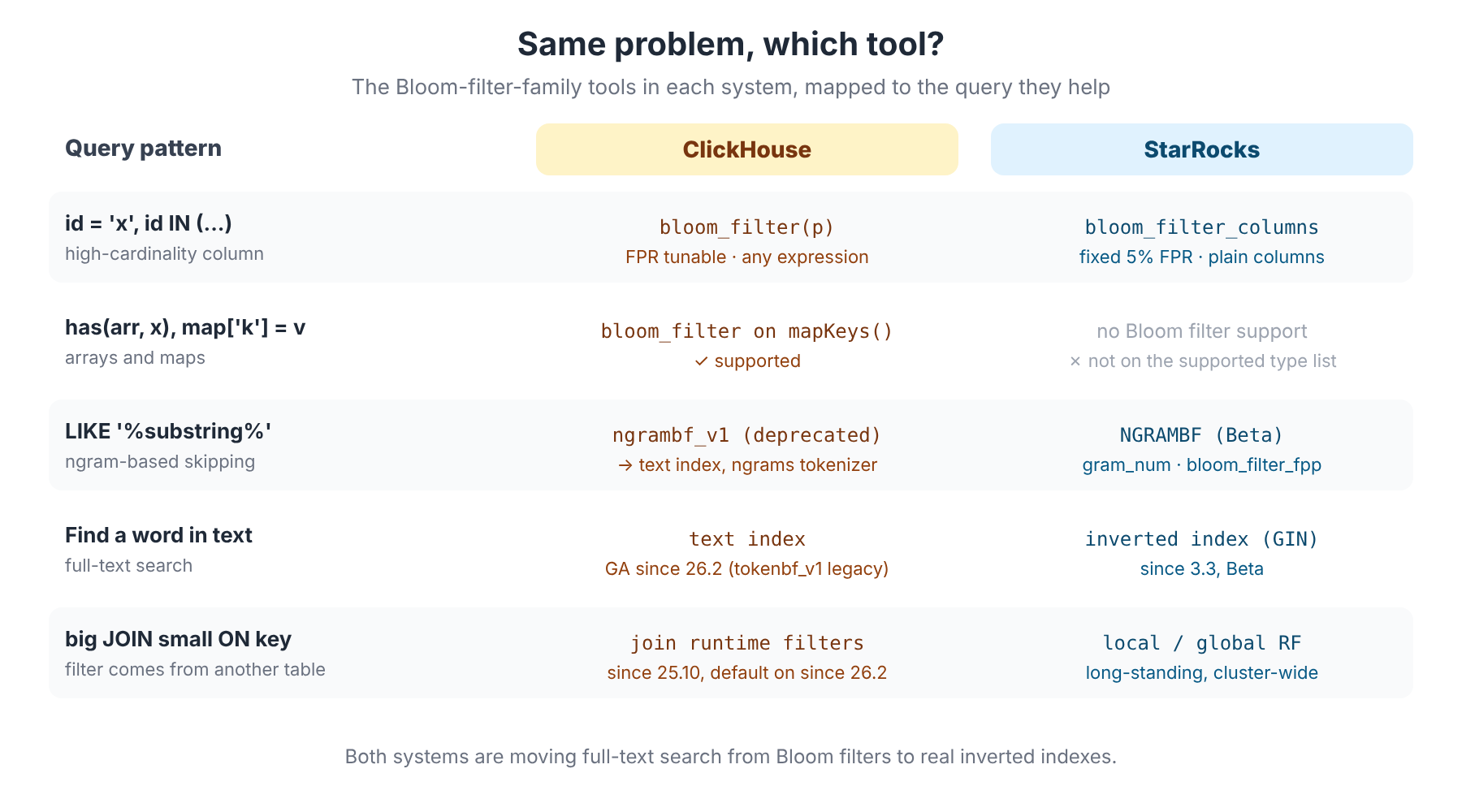
- ClickHouse had
tokenbf_v1(whole words) andngrambf_v1(substrings). The docs now mark both as deprecated for full-text search and recommend thetextindex, a real inverted index that is GA since 26.2. It supports several tokenizers, includingngrams(N)for substring-style search. - StarRocks has the
NGRAMBFindex forLIKEandngram_search(Beta), and a full-text inverted index (GIN, since 3.3, also Beta).
The shared lesson: Bloom filters are a weak fit for text. Every row produces many tokens or ngrams, so the filters fill up quickly and false positives climb. For anything beyond occasional LIKE on short strings, use the inverted index on either system. On today's versions, ClickHouse's is the more mature of the two.
4. Join runtime filters: StarRocks' head start, ClickHouse is catching up
In Part 2, the runtime filter section was where StarRocks stood out: when a big table joins a small, filtered one, StarRocks builds a filter from the small side's join keys and pushes it to the big side's scan. No index needed.
ClickHouse now does this too. It added join runtime filters in 25.10, turned them on by default in 26.2, and marked them production-ready in 26.9. If you're on a recent ClickHouse, you're probably already using them.
| ClickHouse | StarRocks | |
|---|---|---|
| Switch | enable_join_runtime_filters (default 1 since 26.2) | Local RF on by default; enable_global_runtime_filter (default true) for shuffle joins |
| Filter type | Exact set of keys up to join_runtime_filter_exact_values_limit (10,000), then a Bloom filter (join_runtime_bloom_filter_bytes, 512 KB default) | Min/max, IN list, or Bloom filter |
| Where it's applied | As a PREWHERE filter on the left table's scan | On the probe-side scan; newer versions also push it into the storage layer |
| Self-tuning | Turns itself off for a while if it passes more than 70% of rows (join_runtime_filter_pass_ratio_threshold_for_disabling) | Skips the local Bloom filter when the build side has more than ~1M rows (runtime_join_filter_push_down_limit) |
| Across nodes | Documented for the parallel hash join; check how it behaves with distributed joins in your setup | Built for it: global RF merges partial filters from every BE and sends them to every scan |
| How you see it | EXPLAIN shows a BuildRuntimeFilter step and a __filterContains(...) prewhere | EXPLAIN shows build runtime filters / probe runtime filters |
On ClickHouse, the plan looks roughly like this (abbreviated):
Join
  Expression
    ReadFromMergeTree (orders)
    Prewhere filter column: __filterContains(...)
  BuildRuntimeFilter
    ReadFromMergeTree (customer)
My take: on a single node, the two are now close. StarRocks' advantage is maturity and distributed execution: its global runtime filters were designed for shuffle joins across many BEs from the start. If your workload is multi-table star-schema joins on a cluster, StarRocks is still the more predictable choice here. If you run mostly wide, denormalized tables on ClickHouse, you'll rarely depend on runtime filters anyway.
5. Verifying it worked: before vs after
This is the most practical day-to-day difference.
ClickHouse tells you before running the query. EXPLAIN indexes = 1 asks the index directly and reports how many granules it would skip:
Skip
  Name: idx_trace_id
  Description: bloom_filter GRANULARITY 1
  Parts: 2/24
  Granules: 3/244141
You can check a new index in seconds, without scanning anything. For a hard guarantee, force_data_skipping_indices = 'idx_trace_id' makes a query fail if it doesn't use the index.
StarRocks tells you after running the query. The stored index doesn't show up in EXPLAIN. You run the query with enable_profile = true (or use EXPLAIN ANALYZE) and look at the scan's counters:
SegmentInit:
  ShortKeyFilterRows: 0
  ZoneMapIndexFilterRows: 0
  BloomFilterFilterRows: 41.93M
That's richer in one way: you see how much each stage removed (short key, zone map, Bloom filter). But it costs a real execution, and you get rows filtered, not a simple "3 out of 244,141 blocks".
| ClickHouse | StarRocks | |
|---|---|---|
| When | Before execution | After execution |
| Unit | Granules skipped / total | Rows filtered per index stage |
| Fast check for a new index | ✅ EXPLAIN indexes = 1 | Need to run the query |
| Breakdown by index type | Per index, in EXPLAIN | Per stage, in the profile |
| Guardrail | force_data_skipping_indices | None equivalent |
6. What doesn't change: your data layout
After three posts, this is still the most important point: a Bloom filter index only skips data where the value isn't. Whether that's a ClickHouse granule or a StarRocks page doesn't matter. If a value is spread across every block, every filter says "maybe" and nothing is skipped (see the diagram in Part 1, section 6).
So before you compare index options between the two systems, ask the same questions in both:
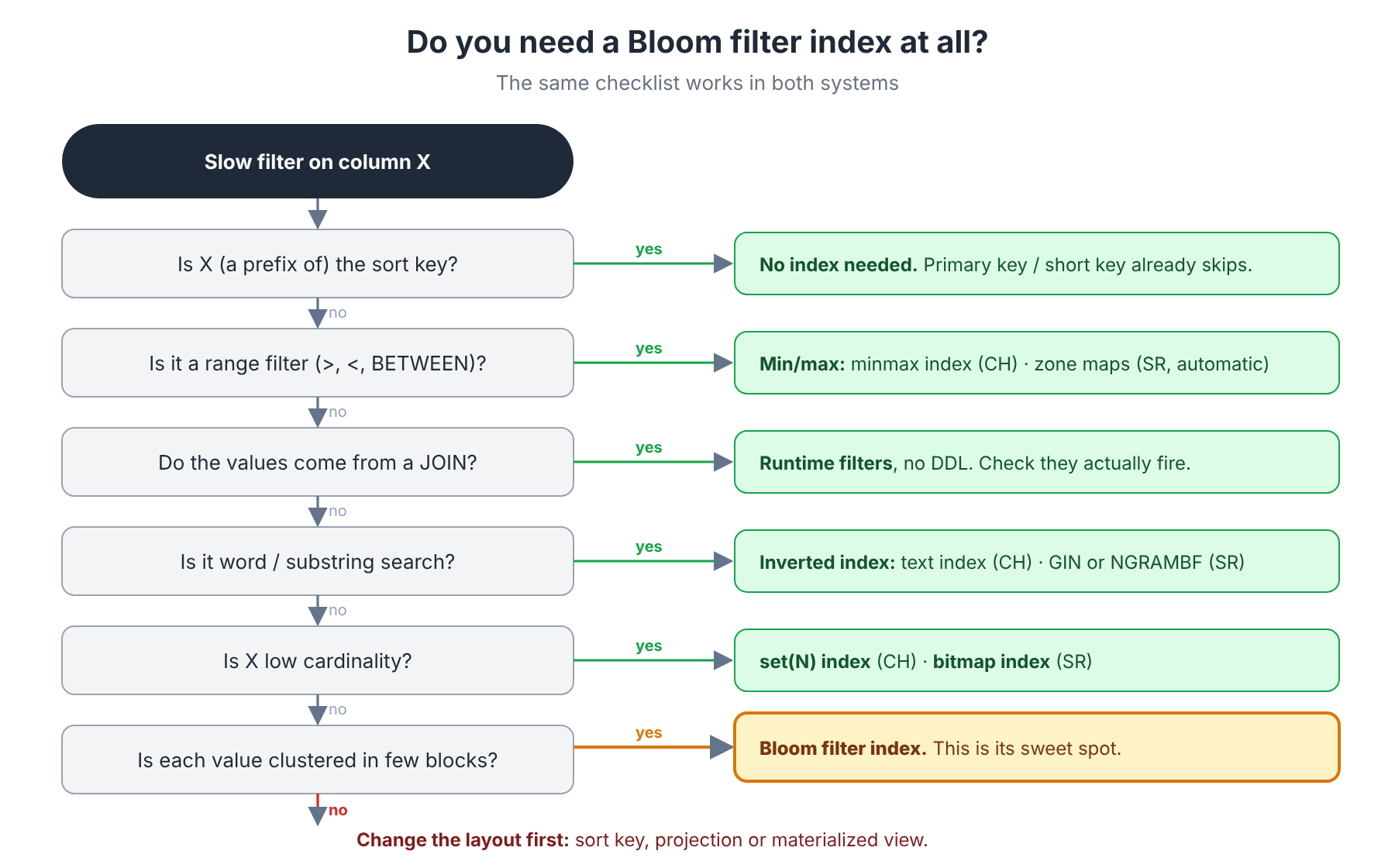
The answers map almost one-to-one:
| Problem | ClickHouse | StarRocks |
|---|---|---|
| Filter on sort key | Primary key | Short key index |
| Range filter | minmax index | Zone maps (automatic) |
| Low cardinality | set(N) index | Bitmap index |
| Values come from a join | Join runtime filters | Runtime filters |
| Text search | text index | GIN / NGRAMBF |
| Rare, clustered value | bloom_filter | bloom_filter_columns |
| Scattered value | Projection / materialized view | Sort key change / materialized view |
7. Decision guide: which one fits your workload?
| Scenario | Advantage | Why |
|---|---|---|
Look up a trace_id / request_id in time-ordered logs | Tie | Both work well: the value is rare and clustered |
Filter on Map attributes (OpenTelemetry style) | ClickHouse | Bloom filters on mapKeys() / mapValues(); StarRocks can't index maps |
Case-insensitive or derived lookups (lower(email)) | ClickHouse | Can index expressions |
| Tune filter size for a known workload | ClickHouse | Per-index FPR and GRANULARITY |
| "Just make it work" with minimal tuning | StarRocks | Fixed, sensible defaults; no MATERIALIZE step |
| Star-schema joins on a multi-node cluster | StarRocks | Mature, global runtime filters across BEs |
| Joins on a single ClickHouse node, recent version | Tie | ClickHouse runtime filters are on by default since 26.2 |
| Full-text search in log messages | ClickHouse (today) | text index is GA; StarRocks' inverted index is still Beta |
| Quick check whether an index is used | ClickHouse | EXPLAIN indexes = 1 without running the query |
| Understand which skipping stage did the work | StarRocks | Per-stage counters in the profile |
TL;DR
- Same structure, same math, same limits. No false negatives, some false positives, equality only, and useless when values are scattered.
- ClickHouse gives you control: tunable FPR and
GRANULARITY, expressions, arrays and maps, and anEXPLAINthat tells you the result before you run the query. - StarRocks gives you defaults: page-level filters sized by bytes, a fixed 5% FPR, automatic rebuilds, and very mature distributed join runtime filters.
- Text search is moving to inverted indexes on both; ClickHouse's
textindex is GA, StarRocks' is Beta. - Join runtime filters are no longer StarRocks-only. ClickHouse has had them on by default since 26.2, but StarRocks still leads on distributed joins.
- Fix the data layout first. The best Bloom filter in either system can't skip a value that's in every block.
Thanks for following the series. If you have questions or real-world numbers from your own workloads, I'd love to hear them.
References
- ClickHouse docs: Data skipping indexes
- ClickHouse docs: Text indexes
- ClickHouse docs: JOIN runtime filter settings
- ClickHouse docs:
enable_join_runtime_filters - ClickHouse blog: Release 25.10 (join runtime filters)
- StarRocks docs: Bloom filter indexes
- StarRocks docs: N-gram Bloom filter indexes
- StarRocks docs: Full-text inverted index
- StarRocks docs: System variables
- Part 1: ClickHouse
- Part 2: StarRocks