
Every engineer reading this trusts git checkout -b without a second thought. You branch, you break things, you throw it away — production never even knew you were there.
Now think about the last time you needed to test a change against your ClickHouse data. A new ORDER BY. A destructive ALTER. A backfill. A migration you’ve rehearsed in your head but never on the real thing. Where did you test it?
If the honest answer is “a staging table that doesn’t really look like prod,” “a sampled copy that’s too small to surface the bug,” or — let’s be real — “production, at 2 a.m., holding my breath,” then you already know the problem. Code has a safe place to experiment. Your data usually doesn’t.
BlancoByte ClickHouse Console gives it one. We call it Branches.
What a branch actually is
(Branches)
A branch is a full, writable, isolated copy of a production table — created in seconds, without duplicating the data.
That last part is the trick. Instead of copying gigabytes (or terabytes) of parts, a branch uses ClickHouse’s own zero-copy hard-links. The console recreates the table’s exact structure — engine, partitioning, sort order, TTL — and then attaches the source table’s partitions by hard-link rather than by copy. The branch points at the same physical data on disk, but it’s a completely separate table you can hammer on.
So you get the thing that sounds impossible: a real copy of a real table, at real scale, in the time it takes to read this sentence.
One click, with the work shown
(Create Branch)
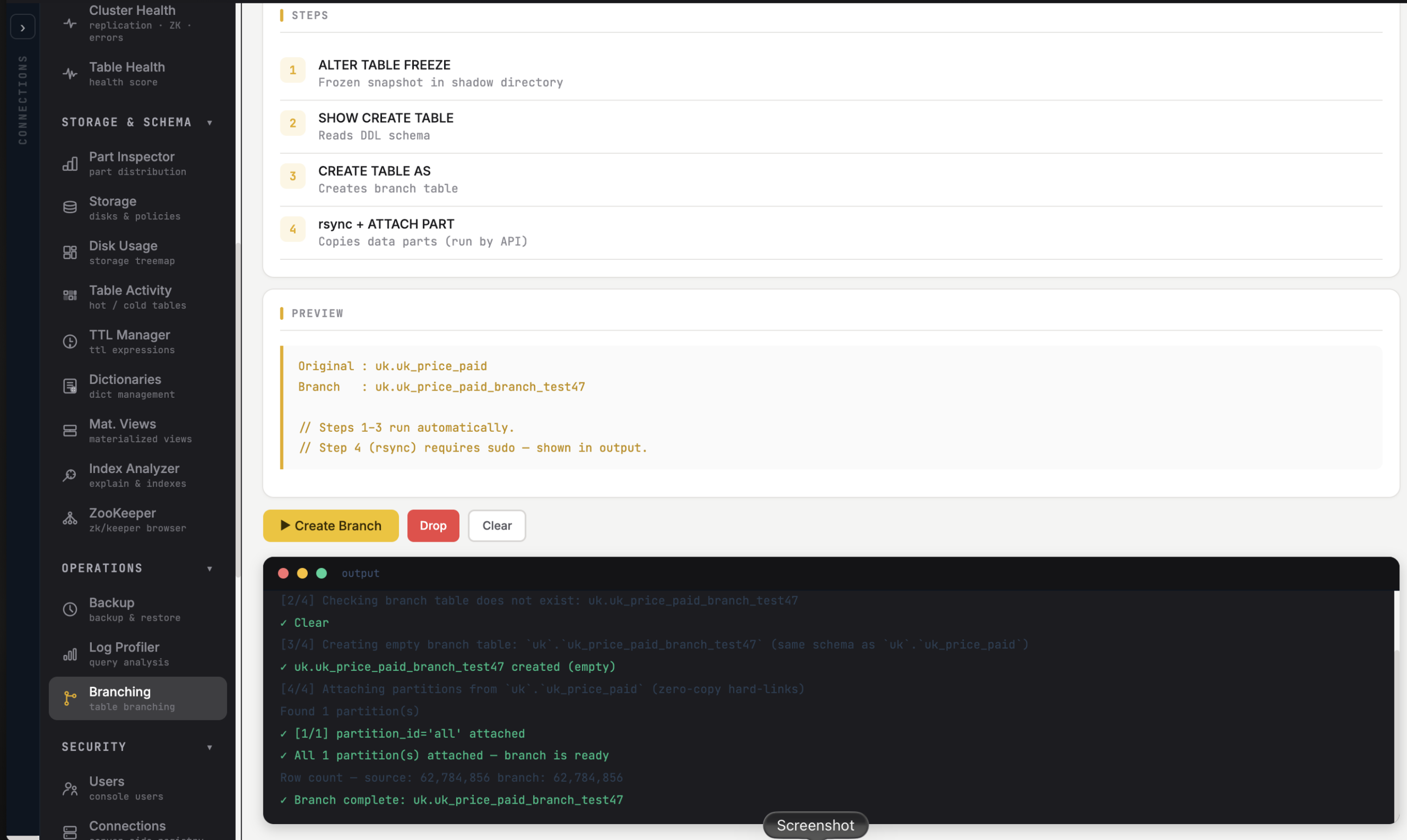
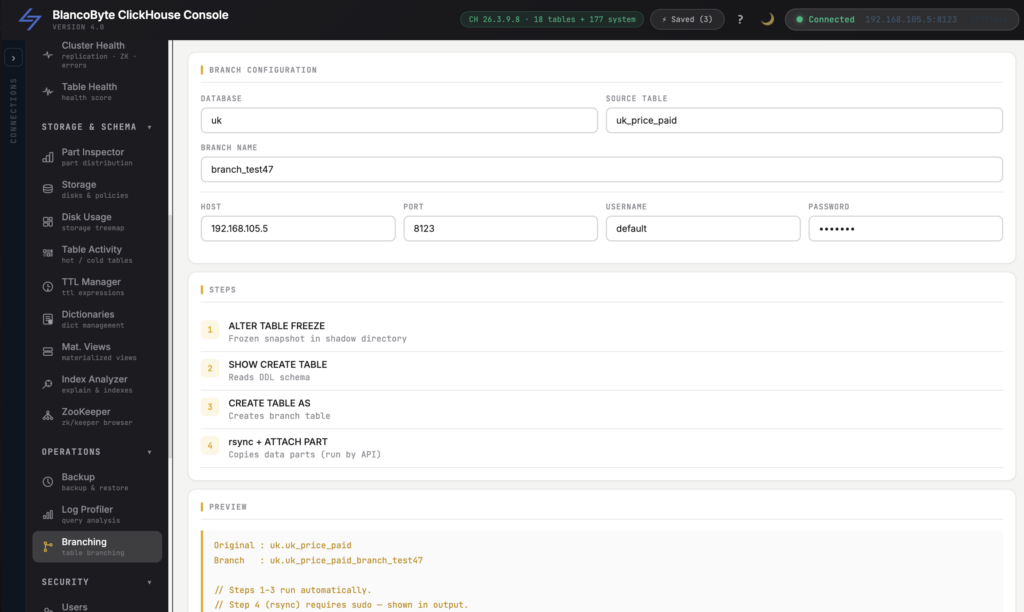
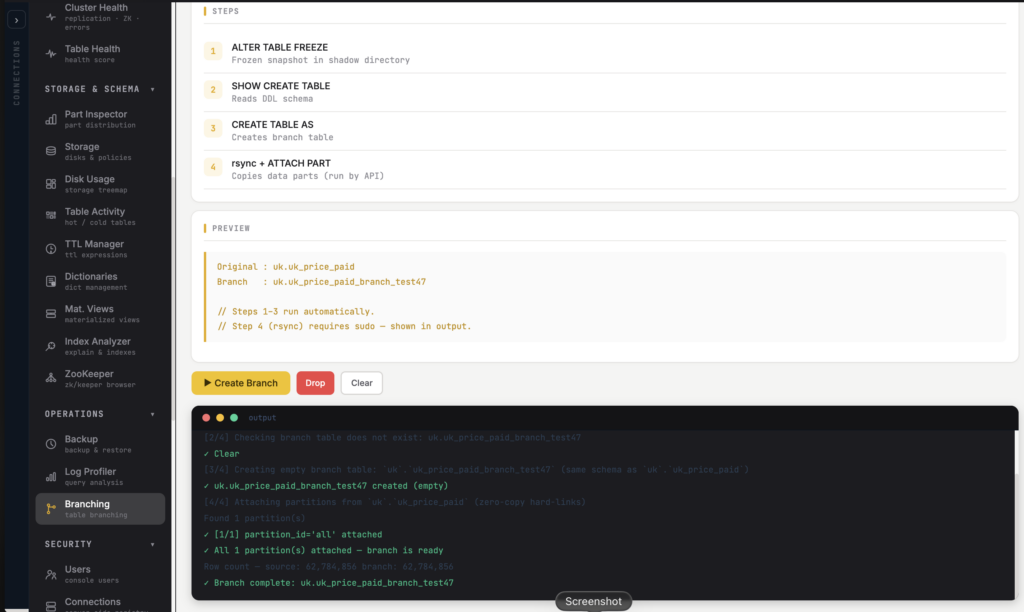
Branching isn’t a script you babysit. You pick the source table, name the branch, and the console runs it as a tracked job — streaming each step as it goes:
- Recreate the schema (
CREATE TABLE … ASthe source, so nothing about the structure drifts). - Attach each partition from the source by hard-link — zero-copy.
- Report partition by partition until the branch is ready.
No FREEZE incantations, no hand-editing a SHOW CREATE TABLE dump, no ATTACH PARTITION loop you wrote from memory and hope you got right. You watch it happen and you get a branch.
Now break things — on purpose
(Experiment safely)
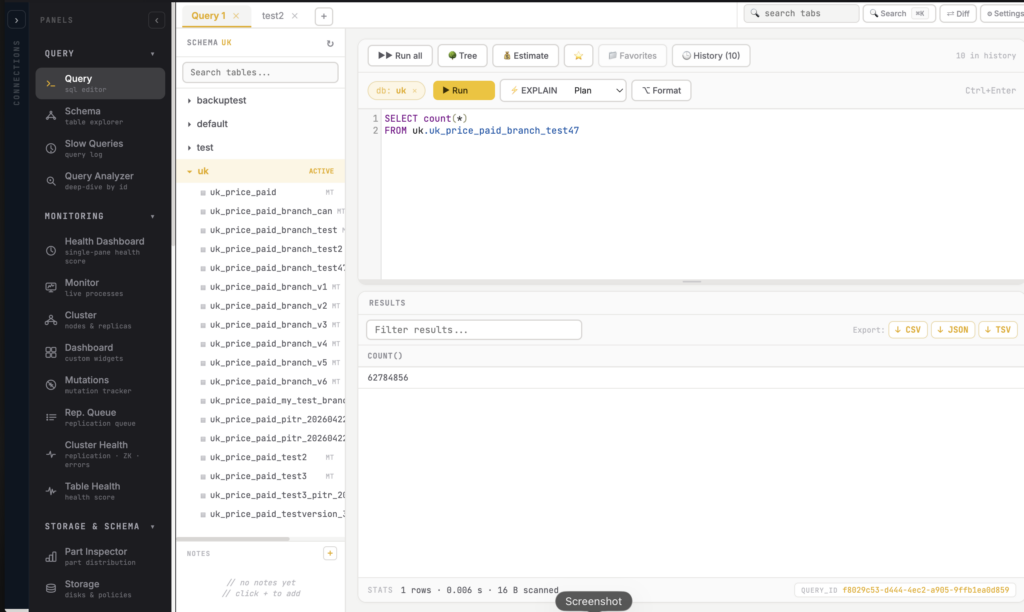
This is where it pays off. Once you have a branch, production stops being the place you test:
- Try a new
ORDER BYor partitioning scheme and actually measure the query difference. - Run that scary
ALTERor mutation and see what it does to real parts at real volume. - Rehearse a migration end to end before it touches anything customers can see.
- Hand QA or a teammate a branch to validate against, instead of a sample that lies.
If it goes well, you do it for real with confidence instead of hope. If it goes badly, you shrug — it’s a branch. Nothing downstream noticed.
You only pay for what you change
(Storage)
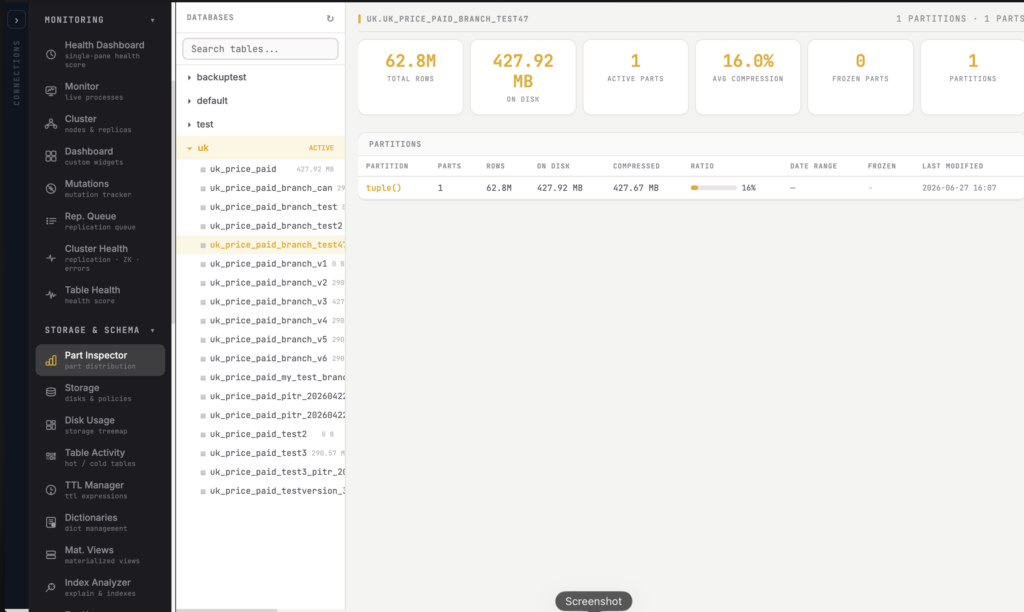
“A copy of a terabyte table” sounds expensive. Hard-links are why it isn’t.
At creation, a branch adds almost nothing to your disk — it’s sharing the source’s data parts, not duplicating them. You only start consuming real space as the branch diverges: the moment you mutate or rewrite a part, ClickHouse materializes the changed part for the branch and leaves everything else shared. Test a change that touches 2% of the data, pay for 2%.
That economic model is what makes branching something you reach for casually, not a quarterly budget decision. Cheap experiments get run. Expensive ones get avoided — and the bug ships to prod instead.
Done? Drop it and move on
(Drop branch)
A branch is meant to be disposable. When the experiment’s over, you drop it from the console and the shared data goes back to being just the source’s. No orphaned tables cluttering your schema, no “temp_test_table_final_v2” haunting your database six months later.
Branch. Test. Drop. The same loop you already trust for code.
Why this is rare
Pull up your usual ClickHouse tooling and try to do this. The popular desktop clients — DataGrip, DBeaver — are built to query a database, not to give your data a safe sandbox. Raw ClickHouse absolutely can do it: FREEZE, grab the SHOW CREATE, rebuild the table, ATTACH PARTITION from the frozen set. But that’s a careful, multi-step, easy-to-fumble process that lives in one senior engineer’s notes — not something the whole team does without thinking.
The point of putting it in the console is exactly that: to make the safe path the easy path. When branching a table is one click, people actually do it — and “let me just test that in prod” slowly disappears from your team’s vocabulary.
From “test in prod and hope” to “branch, test, ship”
The best infrastructure tools don’t add capability so much as remove fear. Branches take the single most nerve-wracking thing about operating an analytical database — changing it — and give it the same safety net you’ve had for your code since the day you learned Git.
Your data is your most valuable asset and, too often, the one place you’re afraid to experiment. It doesn’t have to be.
ClickHouse gives you the speed. BlancoByte ClickHouse Console gives your data a branch to play in.