Sooner or later, find() runs out of road.
It's great at pulling documents that match a condition. But the moment you need to summarize — total revenue per customer, average order value by month, the number of active users per country — find() shrugs. It hands you the raw documents and leaves the math to your application code. That works until the collection grows, and then you're pulling ten thousand documents over the wire just to add up one column.
The aggregation pipeline is MongoDB's answer to that problem. It's the tool for reshaping, grouping, joining, and computing — the stuff you'd reach for GROUP BY and JOIN to do in SQL. It looks intimidating at first because it's a big array of $-prefixed stages. It stops looking intimidating the moment you realize it's just an assembly line.
The mental model: an assembly line
A pipeline is an array of stages. Documents enter the first stage, get transformed, and the results flow into the next stage. And the next. Each stage does one job and passes its output down the line:
db.orders.aggregate([
  { /* stage 1 */ },
  { /* stage 2 */ },
  { /* stage 3 */ }
])
That's the whole idea. The output of stage one is the input of stage two. Once you internalize that, the rest is just learning what each stage does — and, crucially, in what order to put them.
We're going to build one real report from scratch, adding a stage at a time. The goal:
For every customer, show total spent and number of orders this year, along with their name and tier, biggest spenders first.
We'll use two collections. An orders collection:
{
  _id: ObjectId("..."),
  customerId: "u_8842",
  status: "completed",
  amount: 129.90,
  items: [
    { sku: "TS-1", qty: 2, price: 19.95 },
    { sku: "MG-4", qty: 1, price: 90.00 }
  ],
  createdAt: ISODate("2026-03-11T09:14:00Z")
}
And a customers collection:
{ _id: "u_8842", name: "Dana Whitfield", tier: "gold", country: "NL" }$match — filter first, always
The first thing you almost always want is to throw away the documents you don't care about. $match does exactly what a find() filter does, with the same syntax:
{ $match: {
    status: "completed",
    createdAt: { $gte: ISODate("2026-01-01"), $lt: ISODate("2027-01-01") }
}}
Here's the part people miss: put $match as early as possible, and it will use your indexes. A $match at the very top of a pipeline can hit an index and skip the collection scan entirely — same rules as a normal query, so the ESR-ordered index you built for these fields still pays off here. Bury that same $match three stages down, after a $group has already reshaped everything, and it can't use any index at all, because the documents it's filtering no longer exist on disk in that shape.
The rule of thumb: shrink the dataset as early and as much as you can. Every later stage does less work when it's handed fewer documents.
$group — the part that does the real work
$group is the heart of aggregation, and it's where SQL people feel most at home once it clicks. You pick a field to group by — that's the _id of the group — and then define accumulators that roll up all the documents in each group.
{ $group: {
    _id: "$customerId",
    totalSpent: { $sum: "$amount" },
    orderCount: { $sum: 1 },
    lastOrder:  { $max: "$createdAt" }
}}
A few things worth pinning down here.
The $ in front of "$customerId" and "$amount" means "the value of this field." Without the dollar sign, "customerId" is just the literal string. This trips up everyone at least once.
_id: "$customerId" says group by customer. Every order with the same customerId collapses into a single output document. If you wanted a grand total across the whole collection instead, you'd write _id: null.
Counting is done with { $sum: 1 } — add one for every document in the group. There's no dedicated "count" accumulator inside $group; you just sum ones. It looks odd the first time and then it's second nature.
The accumulators you'll actually use, beyond $sum: $avg, $min, $max, $first and $last (order-dependent, so sort before grouping if you rely on them), $push to collect values into an array, and $addToSet to do the same while dropping duplicates.
After this stage, our documents look like this:
{ _id: "u_8842", totalSpent: 812.50, orderCount: 6, lastOrder: ISODate("...") }Notice the shape changed completely. We no longer have orders — we have one document per customer. This is why stage order matters so much: from here on, the pipeline is working with these summary documents, not the original orders.
$sort and $limit — ordering and top-N
Now we want the biggest spenders on top:
{ $sort: { totalSpent: -1 } },
{ $limit: 20 }
$sort takes the same 1 / -1 direction you know from queries. $limit and its sibling $skip handle pagination and top-N lists.
One performance note that saves real money: if you're sorting and limiting, MongoDB is smart enough to combine them when $sort is immediately followed by $limit, keeping only the top N in memory instead of sorting the entire set. Keep those two adjacent and in that order.
There's a subtler point about where the sort sits. A $sort at the very start of a pipeline can use an index. A $sort after $group cannot — grouped output isn't backed by an index, so it's an in-memory sort. That's fine for a few thousand groups, but keep it in mind when the numbers get large.
HAVING, the MongoDB way
Say you only want customers who spent more than $500. You can't put that in the first $match — totalSpent doesn't exist until after $group. This is exactly SQL's HAVING clause, and the answer is simply a second $match, placed after the group:
{ $group: { _id: "$customerId", totalSpent: { $sum: "$amount" } } },
{ $match: { totalSpent: { $gt: 500 } } }
Filter on raw fields early with the first $match; filter on computed fields later with a second one. That single pattern covers a huge share of real reporting queries.
$lookup — joining across collections
So far we have customer IDs and numbers, but no names. Names live in the customers collection, and $lookup is how you pull them in. It's MongoDB's left outer join.
{ $lookup: {
    from: "customers",
    localField: "_id",          // the field in our current documents
    foreignField: "_id",        // the field to match in customers
    as: "customer"              // where to put the matches
}}
For each document coming in, $lookup finds every customers document whose _id matches our _id, and attaches them under a new field called customer.
The gotcha that catches everyone: $lookup always returns an array, even when there's exactly one match. So right now our customer field is [ { name: "Dana Whitfield", tier: "gold", ... } ] — a one-element array, not an object. You almost always want to flatten it:
{ $addFields: { customer: { $arrayElemAt: ["$customer", 0] } } }$arrayElemAt grabs the first element. ($unwind, which we'll meet in a second, is the other common way to do this.)
A word on performance, because $lookup is where pipelines quietly get slow: it runs once per input document. Feed it a million documents and it does a million lookups. This is why filtering and grouping before the lookup matters — by the time we reach this stage, we're down to 20 customers, so it's 20 lookups instead of a million. And make sure the foreignField is indexed; here it's _id, which is indexed by default, but on a custom field it's on you.
$project — the final shape
The last job is cleanup: keep the fields you want, rename a couple, drop the rest.
{ $project: {
    _id: 0,
    customerId: "$_id",
    name:  "$customer.name",
    tier:  "$customer.tier",
    totalSpent: 1,
    orderCount: 1
}}
1 includes a field, 0 excludes it, and "$customer.name" pulls a value out of the nested customer object into a clean top-level field. The result is exactly what a dashboard wants:
{ customerId: "u_8842", name: "Dana Whitfield", tier: "gold", totalSpent: 812.50, orderCount: 6 }If you only want to add fields without listing everything you're keeping, use $addFields (or its identical twin, $set) instead of $project. $project is include/exclude; $addFields is "leave everything alone and add this."
$unwind — when the interesting data lives in an array
We skipped over the items array on each order, but it's worth its own stage because array handling is where a lot of real aggregation lives.
Suppose you want revenue per SKU across all orders. The quantities and prices are buried inside each order's items array, and you can't group by something inside an array directly. $unwind fixes that by exploding the array — one input document becomes one output document per array element:
{ $unwind: "$items" }An order with three items becomes three documents, each identical except that items is now a single item object rather than an array. From there it's ordinary grouping:
db.orders.aggregate([
  { $match: { status: "completed" } },
  { $unwind: "$items" },
  { $group: {
      _id: "$items.sku",
      unitsSold: { $sum: "$items.qty" },
      revenue:   { $sum: { $multiply: ["$items.qty", "$items.price"] } }
  }},
  { $sort: { revenue: -1 } }
])
One thing to watch: by default $unwind drops documents whose array is empty or missing entirely. If an order with no items should still count, add { $unwind: { path: "$items", preserveNullAndEmptyArrays: true } }.
The one limit that will bite you
Aggregation stages that hold data in memory — mainly $group and $sort — are capped at 100MB each. Cross that line and the pipeline fails with a memory-limit error rather than slowing down gracefully.
You have two levers. The first, and the one to reach for, is to $match harder and earlier so less data ever reaches the memory-hungry stages. The second is allowDiskUse: true, which lets those stages spill to disk instead of failing:
db.orders.aggregate(pipeline, { allowDiskUse: true })Disk spilling keeps the query alive but it's slower, so treat it as a safety net, not a design choice. If you find yourself always needing it, that's usually a sign the pipeline should be filtering more aggressively up top.
Putting the whole thing together
Here's the full report pipeline, start to finish:
db.orders.aggregate([
  { $match: {
      status: "completed",
      createdAt: { $gte: ISODate("2026-01-01"), $lt: ISODate("2027-01-01") }
  }},
  { $group: {
      _id: "$customerId",
      totalSpent: { $sum: "$amount" },
      orderCount: { $sum: 1 }
  }},
  { $sort: { totalSpent: -1 } },
  { $limit: 20 },
  { $lookup: {
      from: "customers",
      localField: "_id",
      foreignField: "_id",
      as: "customer"
  }},
  { $addFields: { customer: { $arrayElemAt: ["$customer", 0] } } },
  { $project: {
      _id: 0,
      customerId: "$_id",
      name: "$customer.name",
      tier: "$customer.tier",
      totalSpent: 1,
      orderCount: 1
  }}
])
Read it top to bottom and it tells a story: filter down to this year's completed orders, roll them up per customer, rank by spend, keep the top 20, attach each customer's details, and hand back a clean result. Every stage does one thing, and each one hands less work to the next.
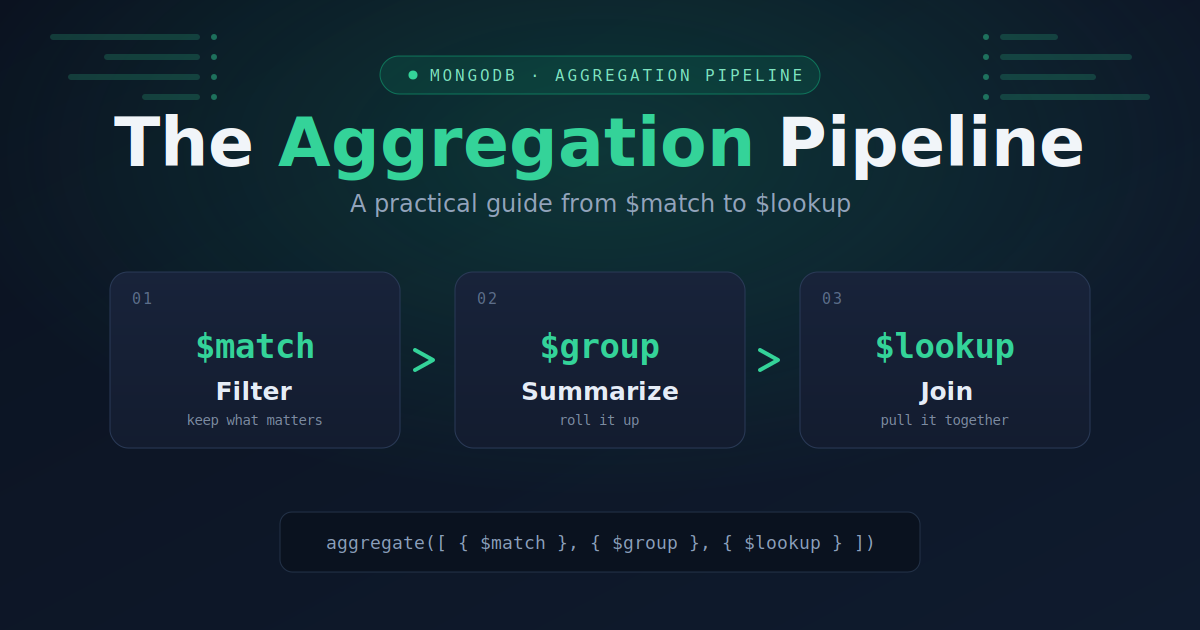
That progression — filter, group, sort, join, shape — covers the overwhelming majority of aggregations you'll ever write. Once these seven stages feel natural, the rest of the library ($facet for running several aggregations at once, $bucket for histograms, $merge for writing results back to a collection) is just more of the same idea: small stages, snapped together, each transforming the stream a little more.
Start with the report you actually need, build it one stage at a time, and check the output after each addition. That's how every complex pipeline gets written — not in one heroic block, but one stage at a time.