
Speed wins the demo. Auditability wins the enterprise deal.
Every team loves ClickHouse for how fast it is. But the moment you put it in front of real customers, real regulators, or a real security review, the questions change. Nobody asks “how many rows per second?” anymore. They ask:
Who ran that query? Who changed that grant? Who exported that data — and can you prove it?
ClickHouse will happily tell you what queries ran via system.query_log. What it won’t do is give you accountability: a durable, per-user, human-readable record of who did what, when, and from where — the kind you can hand to an auditor without spending a week assembling it by hand.
That’s the layer BlancoByte ClickHouse Console is built around. Here’s what it actually looks like.
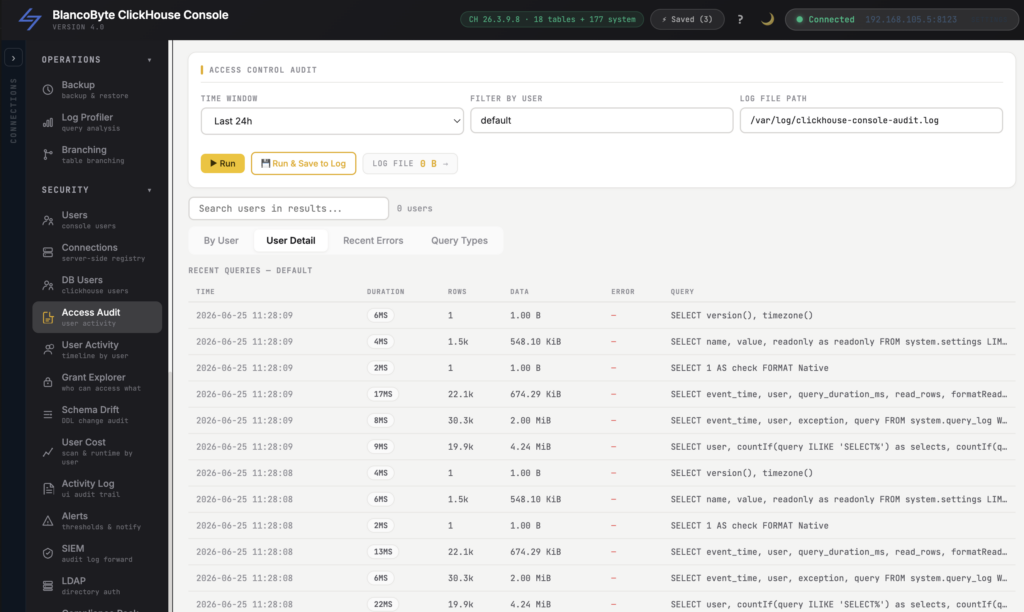
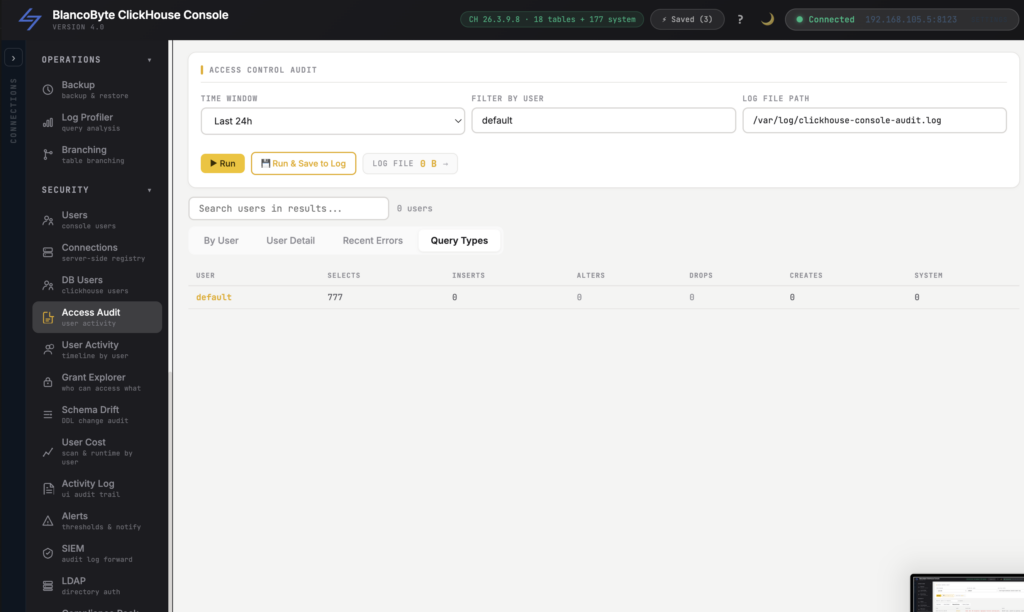
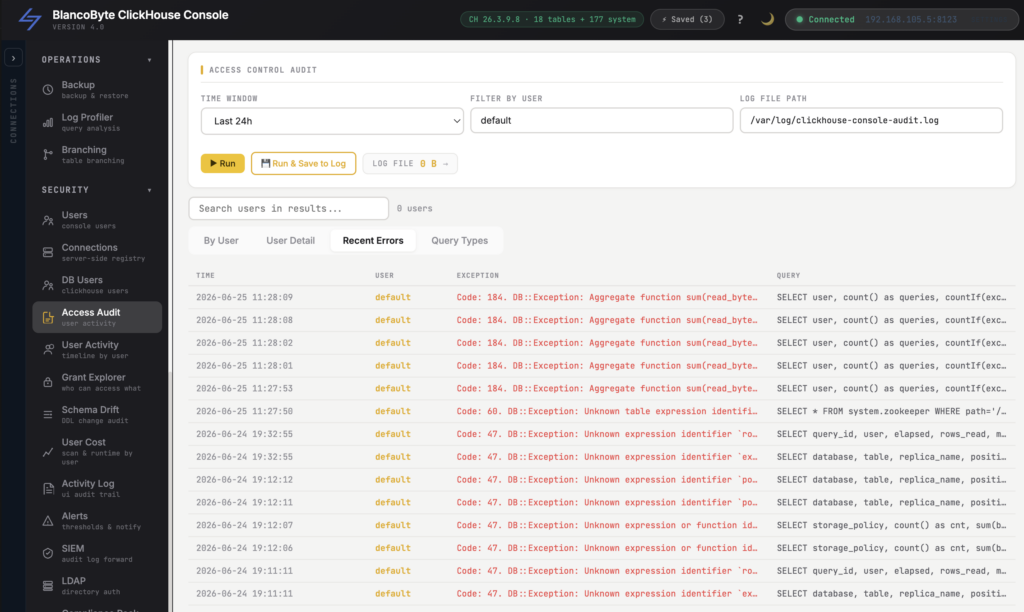
Access Audit: every action has a name on it
(Access Audit)
The foundation of everything below is a single principle: nothing meaningful happens without being recorded.
When a user runs a query, changes a setting, exports results, opens a sensitive panel, or touches a grant, the console writes an audit event — and it writes it in three places at once: a structured table in the database, a global activity log, and a per-user log. That redundancy matters. A record that lives in only one place is a record someone can quietly erase; a record written three ways is far harder to make disappear without anyone noticing.
The result is a clean, queryable, timestamped trail of actions across your entire ClickHouse environment — not log fragments scattered across servers, but one consistent story of what happened.
User Activity: the timeline for a single person
(User Activity Timeline)
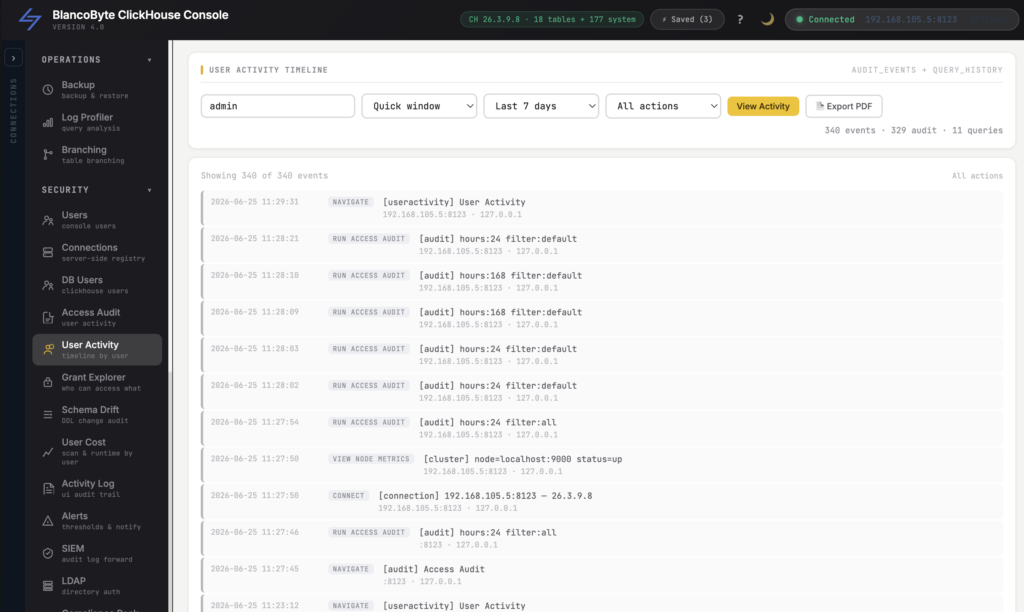
“What has this account been doing this week?” should take ten seconds to answer, not a grep marathon.
The User Activity Timeline collapses the audit trail down to one person and lays their actions out in order: the queries they ran, the panels they opened, the changes they made. When you’re onboarding a new hire, reviewing a contractor’s access, or investigating something that doesn’t smell right, you get a narrative instead of a haystack — a clear, chronological view of exactly what that user touched.
Activity Log: the live, searchable feed
(Activity Log)
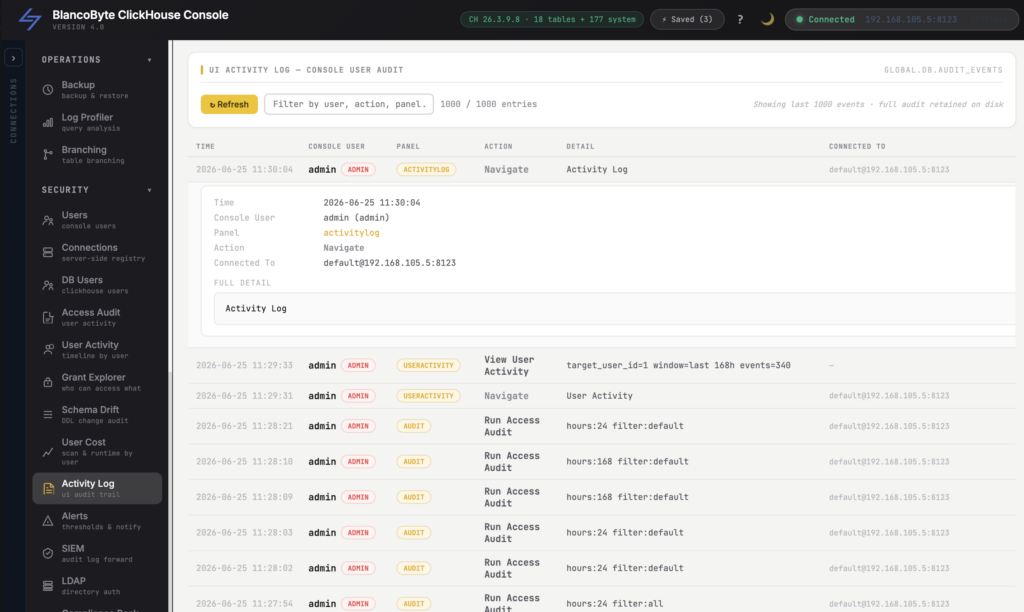
Sometimes you don’t start with a person — you start with a moment. “Something changed around 3 p.m. Friday. What was it?”
The Activity Log is the real-time, filterable feed of everything happening across the console: who’s active, what actions are firing, and in what order. Filter by user, by action, by time window, and the answer surfaces fast. It’s the difference between suspecting what happened and seeing it.
User Cost: accountability isn’t only about security
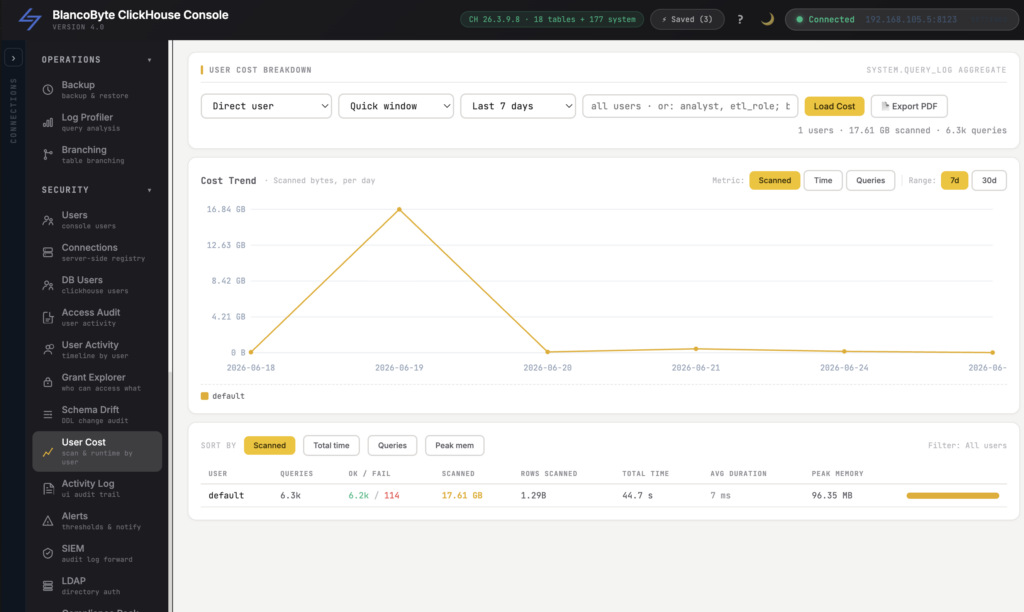
(User Cost Breakdown · Cost Trend)
Auditing isn’t just “who did something risky.” It’s also “who is quietly costing us money.”
The User Cost Breakdown attributes scan cost back to the people and queries driving it, and the Cost Trend chart shows how that’s moving over time. Now the conversation about that one report scanning a billion rows every five minutes is grounded in numbers, not vibes. It’s the same accountability principle as the audit trail, pointed at spend instead of security — and it turns “the cluster is expensive” into “this is why, and here’s who to talk to.”
LDAP: identity from your directory, not a local password list
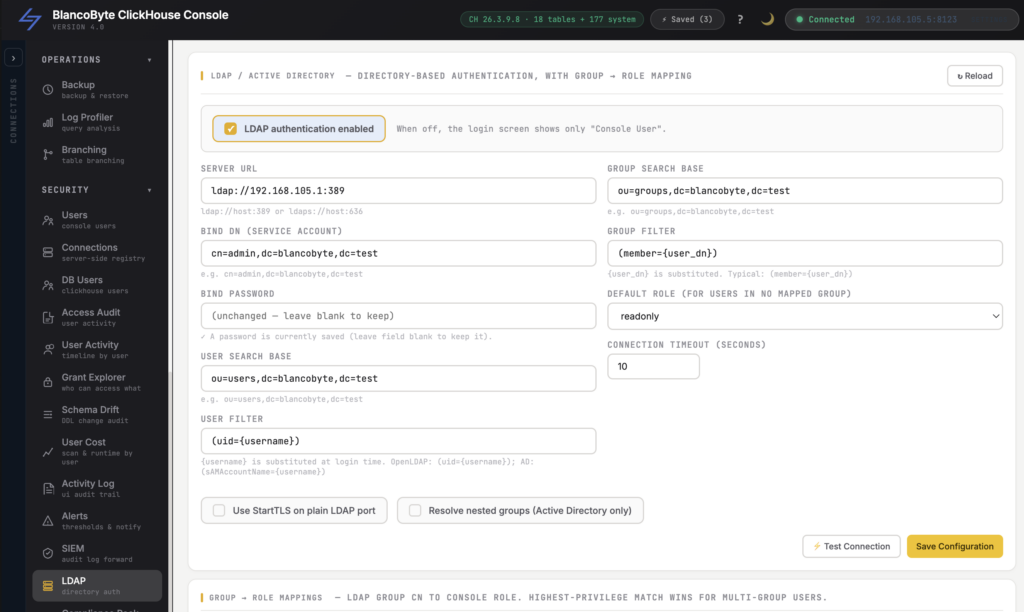
(LDAP)
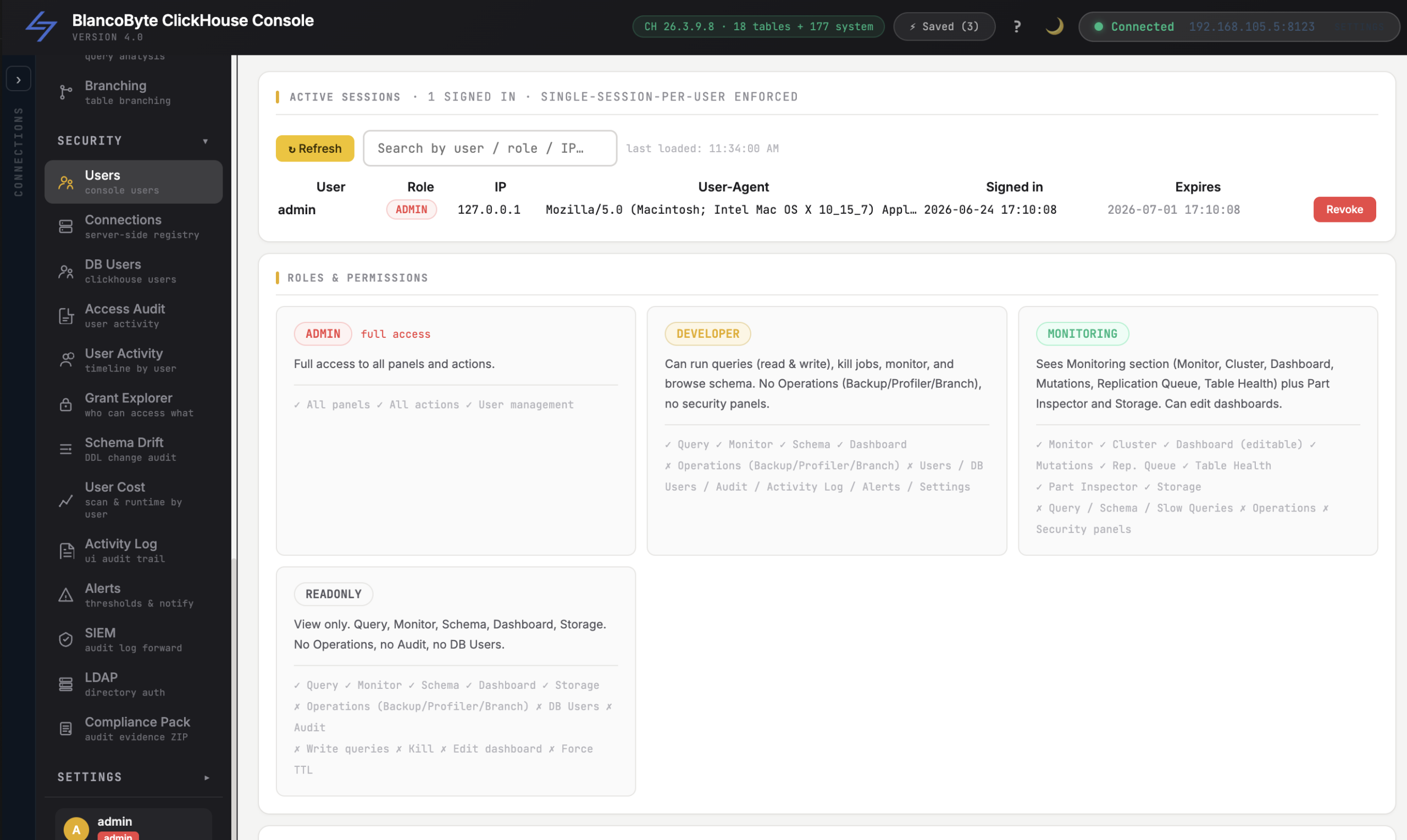
An audit trail is only as trustworthy as the identities behind it. “user47 did this” means nothing if nobody knows who user47 is.
With LDAP integration, access is backed by your existing directory. People sign in with the identity they already have, joiners and leavers are governed where they should be, and every audit event ties back to a real, centrally-managed account — not a shared local login that three people know the password to. Real names on real actions.
SIEM: it doesn’t have to live alone
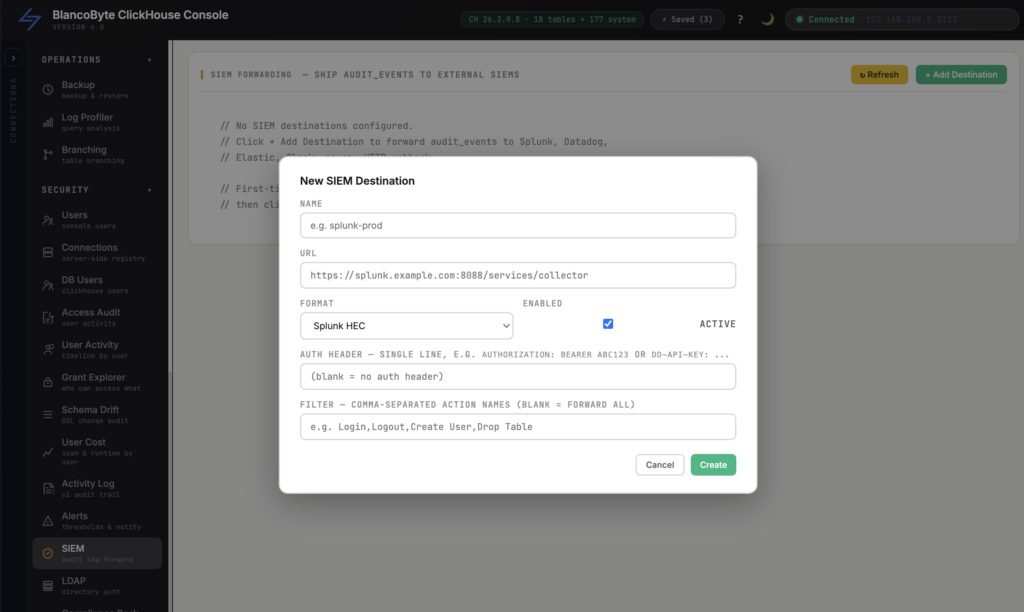
(SIEM)
Your ClickHouse audit trail shouldn’t be an island. Security teams already have a place where events go to be correlated, alerted on, and retained.
The console’s SIEM integration lets those audit events flow into your existing security stack, so ClickHouse activity sits alongside everything else you monitor instead of in a silo someone has to remember to check. Detections, retention, and correlation happen where your security team already works.
Compliance Pack: the audit ZIP that turns a fire drill into a click
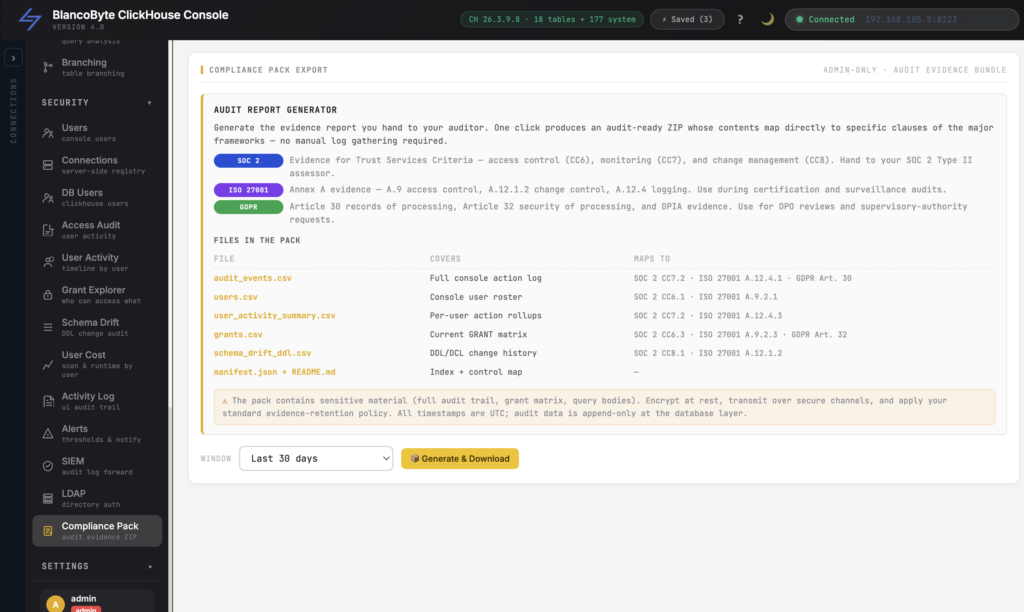
(Compliance Pack Export)
This is the one that makes auditors smile — and engineers exhale.
Instead of spending days screenshotting panels and exporting CSVs by hand before a SOC 2, ISO 27001, or GDPR review, an admin picks a time window — a preset like the last 90 days, or a custom from/to range — and exports a single, self-describing Compliance Pack.
Inside that ZIP:
- a manifest.json that records the exact window covered, row counts per section, and a mapping of each file to the control it supports — so an assessor can verify the evidence is complete, machine-readably;
- a README explaining what they’re looking at;
- the full audit event log, user list, per-user activity summary, grants, and schema-change history — each as a clean CSV.
It’s admin-only, the export itself is audited (yes, the act of generating evidence is part of the evidence), and the window is provable down to the timestamp. What used to be a multi-day scramble becomes a button — and the answer to “can you prove it?” becomes “here’s the file.”
Audit-ready by default, not in a panic
Here’s the quiet truth about compliance: the cost isn’t the audit. It’s living in a state where you can’t answer the question until someone spends a week building the answer. That’s the tax — paid in engineer-days, in deals that stall in security review, in the 3 a.m. uncertainty of not knowing who did what.
Pulling access audit, per-user activity, cost attribution, directory-backed identity, SIEM export, and one-click compliance evidence into the same console flips that. Accountability stops being a project you scramble to assemble and becomes a property of the system you already run.
ClickHouse gives you the speed. BlancoByte ClickHouse Console gives you the receipts.
For the teams running ClickHouse under SOC 2, ISO 27001, HIPAA, or GDPR: what’s the single audit question you dread being asked the most — and how long does it currently take you to answer it? I’d love to hear it in the comments.