Building a Private DBaaS on Kubernetes: A Guide for Secure Self-Managed Databases
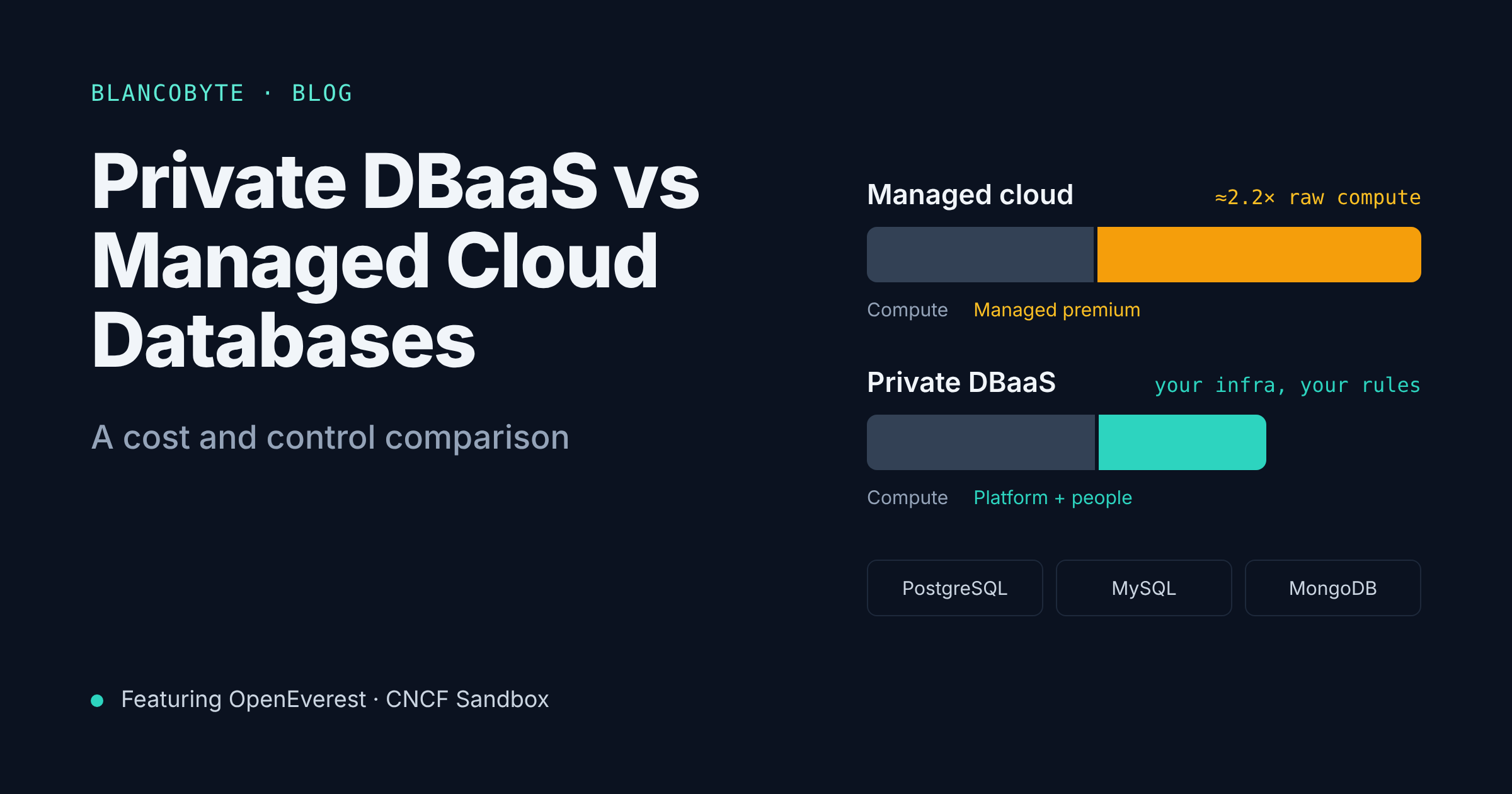
In our cost and control comparison we looked at when a private DBaaS makes sense: large fleets, data residency requirements, multi-cloud or on-prem strategies, and teams that need control over versions and extensions.
This post is about how to build one, with one requirement on top of everything else: it has to be secure. Moving databases off a managed service means you inherit the security work the provider used to do for you. Done carelessly, a private DBaaS is a cluster full of databases with default passwords and public endpoints. Done well, it can be more secure than a managed service, because you control every layer.
We'll cover:
- What a DBaaS actually has to provide
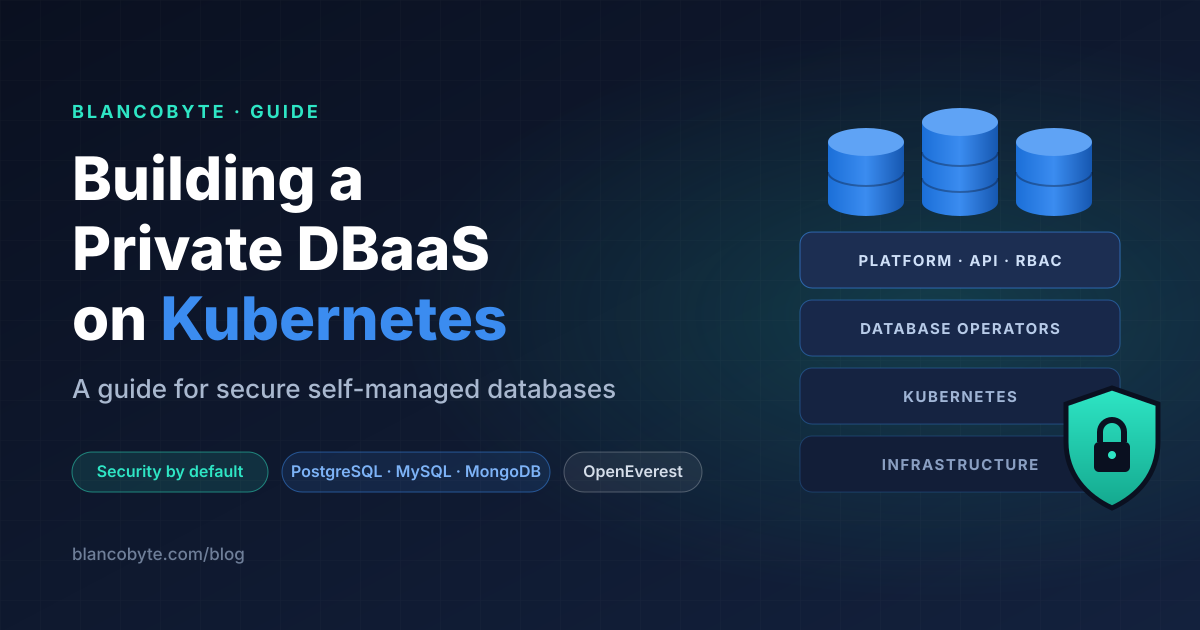
- The reference architecture
- The Kubernetes foundation that stateful workloads need
- Security, layer by layer
- Backups and disaster recovery as a security control
- Observability and day-2 operations
- Build vs adopt: where OpenEverest fits
- A phased rollout plan and a security checklist
Disclosure: BlancoByte is a partner of Solanica, the company behind OpenEverest, and an official consulting and support partner for OpenEverest. We use OpenEverest as the example platform layer in section 7. The architecture and security practices in the rest of the post apply to any private DBaaS on Kubernetes.
At a glance
| Layer | What it does | Typical building blocks |
|---|---|---|
| Platform API and UI | Self-service: create, scale, back up, restore databases | OpenEverest, or an in-house portal |
| Database operators | Run each engine correctly: replication, failover, backups | Engine-specific Kubernetes operators |
| Identity and access | Who can do what, on which databases | OIDC SSO, platform RBAC, Kubernetes RBAC |
| Network | Who can reach which database | NetworkPolicies, private load balancers, service mesh (optional) |
| Encryption | Data protected in transit and at rest | TLS (cert-manager), encrypted volumes, KMS |
| Secrets | Credentials stored and rotated safely | External Secrets Operator, Vault, cloud secret managers |
| Storage | Durable, fast volumes | CSI drivers, StorageClasses, local NVMe or network block storage |
| Backups and DR | Recover from failure, mistakes and attacks | Object storage with immutability, PITR, cross-region copies |
| Observability and audit | Know what's happening, prove what happened | Prometheus/Grafana, logs, Kubernetes and database audit logs |
| Kubernetes foundation | Schedules and isolates everything | Dedicated node pools, PDBs, anti-affinity, Pod Security Admission |
1. What a DBaaS has to provide
Before designing anything, write down the contract. A private DBaaS is only worth building if application teams get roughly the same experience they would get from a managed service:
| Capability | What "done" looks like |
|---|---|
| Self-service provisioning | A team gets a production-grade cluster in minutes, without a ticket |
| High availability | Replicas spread across zones or racks, automatic failover |
| Backups and point-in-time recovery | Scheduled, verified, restorable by the owning team |
| Scaling | Vertical and horizontal scaling, storage expansion |
| Upgrades | Minor versions rolled out safely; major versions planned and tested |
| Monitoring | Metrics and alerts per database, out of the box |
| Access control | Teams see and manage only their own databases |
| Security defaults | TLS, encryption, network isolation and audit without opt-in work |
The last row is the one most internal platforms get wrong. Security must be the default path, not an option. If a team has to remember to turn on TLS or restrict network access, some teams won't.
2. The reference architecture
A private DBaaS is a stack of layers, each with a clear owner:
┌──────────────────────────────────────────────────────────────┐
│  Application teams  →  UI / API / GitOps (self-service)      │
├──────────────────────────────────────────────────────────────┤
│  Platform layer (e.g. OpenEverest)                           │
│  database-independent API · RBAC · SSO · backup policies     │
├──────────────────────────────────────────────────────────────┤
│  Database operators                                          │
│  PostgreSQL · MySQL · MongoDB · …                            │
├──────────────────────────────────────────────────────────────┤
│  Kubernetes                                                  │
│  namespaces · NetworkPolicies · Pod Security · RBAC · CSI    │
├──────────────────────────────────────────────────────────────┤
│  Infrastructure                                              │
│  nodes · block storage · object storage · KMS · network      │
└──────────────────────────────────────────────────────────────┘
          ↘ backups to object storage (separate account/site)
          ↘ metrics, logs and audit events to observability stack
Two principles shape everything below:
- Separate the platform from the databases. The platform team owns the layers from Kubernetes up to the platform API. Application teams own their databases' schemas, queries and data. The platform's job is to make the secure, reliable choice the easy one.
- Isolate by namespace. Each team or environment (for example
payments-prod,payments-staging) gets its own namespace. Access control, network policies, quotas and backup locations all hang off that boundary.
3. The Kubernetes foundation for databases
Running stateful workloads on Kubernetes is very doable in 2026, but databases need a few things stateless applications don't.
Dedicated node pools
Put databases on their own nodes, separated from application workloads with taints and tolerations. This avoids noisy neighbors, makes capacity planning simpler and lets you harden those nodes separately.
# Taint database nodes so only database pods land there
apiVersion: v1
kind: Node
metadata:
  name: db-node-1
  labels:
    workload: databases
spec:
  taints:
    - key: workload
      value: databases
      effect: NoSchedule
Spread replicas across failure domains
A three-node database cluster with all three pods on one node isn't highly available. Use pod anti-affinity or topology spread constraints on topology.kubernetes.io/zone (or a rack label on-prem), and set PodDisruptionBudgets so node drains during upgrades never take down a quorum.
apiVersion: policy/v1
kind: PodDisruptionBudget
metadata:
  name: orders-db-pdb
  namespace: payments-prod
spec:
  maxUnavailable: 1
  selector:
    matchLabels:
      app.kubernetes.io/instance: orders-db
Most mature operators set these for you. Verify that they do.
Storage classes built for databases
The StorageClass is one of the most important security and reliability decisions you'll make:
apiVersion: storage.k8s.io/v1
kind: StorageClass
metadata:
  name: db-encrypted
provisioner: ebs.csi.aws.com            # or your CSI driver
parameters:
  type: gp3
  encrypted: "true"
  kmsKeyId: arn:aws:kms:eu-central-1:111122223333:key/…
reclaimPolicy: Retain                   # deleting a PVC must not delete data
allowVolumeExpansion: true
volumeBindingMode: WaitForFirstConsumer # create the volume in the pod's zone| Setting | Why it matters |
|---|---|
encrypted + a KMS key you control | Encryption at rest with keys you can rotate and revoke |
reclaimPolicy: Retain | A mistaken delete doesn't destroy the volume |
allowVolumeExpansion | Grow disks without migrations |
WaitForFirstConsumer | Volumes are created in the same zone as the pod that uses them |
On-prem, the same principles apply with Ceph, local NVMe with a local-volume provisioner, or a SAN CSI driver. Local NVMe gives the best performance, but then replication across nodes is the database's job, not the storage layer's, so plan HA accordingly.
4. Security, layer by layer
This is the core of the post. Think of it as defense in depth: each layer assumes the one above it might fail.
4.1 Identity and access
There are two access planes, and both need least privilege:
- Platform access: who can create, modify, back up or delete databases through the DBaaS API and UI.
- Kubernetes access: who can touch the underlying pods, secrets and volumes with
kubectl.
Guidelines:
- Use SSO for the platform. Connect the DBaaS to your identity provider over OIDC, and map IdP groups to platform roles. No shared admin accounts.
- Scope roles to namespaces. A developer on the payments team should manage
payments-staging, readpayments-prod, and see nothing else. - Keep Kubernetes access small. Application teams shouldn't need
kubectlaccess to database namespaces at all. The platform API is their interface. Reserve direct cluster access for the platform team, ideally with just-in-time elevation. - Separate database users from platform users. Platform roles control the cluster; database roles (PostgreSQL roles, MySQL users, MongoDB users) control the data. Applications should connect with their own least-privilege database users, not with the admin credentials the operator generates.
4.2 Network isolation
By default, any pod in a Kubernetes cluster can reach any other pod. For databases, that's not acceptable.
Start every database namespace with a default-deny policy, then allow only what's needed:
# 1. Deny all ingress by default
apiVersion: networking.k8s.io/v1
kind: NetworkPolicy
metadata:
  name: default-deny-ingress
  namespace: payments-prod
spec:
  podSelector: {}
  policyTypes: [Ingress]
---
# 2. Allow the payments application to reach PostgreSQL
apiVersion: networking.k8s.io/v1
kind: NetworkPolicy
metadata:
  name: allow-payments-app
  namespace: payments-prod
spec:
  podSelector:
    matchLabels:
      app.kubernetes.io/instance: orders-db
  policyTypes: [Ingress]
  ingress:
    - from:
        - namespaceSelector:
            matchLabels:
              kubernetes.io/metadata.name: payments-app
      ports:
        - protocol: TCP
          port: 5432
You'll also need rules for replication traffic between database pods, backup agents and monitoring scrapers. Most operators document the ports they use.
Other network rules worth enforcing:
- No public endpoints by default. If a database must be exposed outside the cluster, use an internal load balancer and source IP allow-lists. Make "public" an explicit, reviewed exception.
- Your CNI must support NetworkPolicies. Calico, Cilium and most cloud CNIs do. Some basic setups silently ignore them, which is worse than not having them.
- Restrict egress too, especially from database pods. A database should talk to its replicas, its backup target and its monitoring, not to the internet.
4.3 Encryption in transit
Every connection should be TLS: client to database, replica to replica, and backup agent to object storage.
- Use cert-manager (or the operator's built-in certificate management) to issue and rotate certificates automatically. Manual certificates expire at the worst possible moment.
- Require TLS, don't just enable it. Many engines accept both encrypted and plain connections by default for compatibility. Once clients are migrated, reject unencrypted connections.
- Publish the CA to application teams (for example through a connection secret) so clients can verify the server certificate, not just encrypt.
4.4 Encryption at rest
Encryption at rest has three places to cover:
| Where | How |
|---|---|
| Database volumes | Encrypted StorageClass with a KMS key you control; LUKS or encrypted storage pools on-prem |
| Kubernetes Secrets in etcd | Enable encryption at rest for Secrets in the API server, ideally with a KMS provider (managed Kubernetes services often offer this as a setting) |
| Backups | Server-side encryption with your own KMS key on the bucket, or client-side encryption by the backup tool |
The important part is who controls the keys. Customer-managed keys let you rotate, audit usage and, in an emergency, revoke access. For data sovereignty requirements, they also let you show that a provider can't read the data without your keys.
4.5 Secrets management
Database credentials are the crown jewels. A few rules:
- Never commit credentials to Git, not even in a "private" repository. If you use GitOps, store references, not values.
- Use a secret manager as the source of truth (HashiCorp Vault, OpenBao, AWS Secrets Manager, Azure Key Vault, Google Secret Manager) and sync into Kubernetes with the External Secrets Operator or a CSI secrets driver.
- Rotate. Admin credentials generated at cluster creation should be rotated and locked away. Application credentials should have a rotation process that doesn't need downtime (two valid users, or dynamic credentials from Vault).
- Limit who can read Secrets in database namespaces through Kubernetes RBAC.
get secretsin a database namespace is effectively database admin access.
4.6 Pod and node hardening
- Enforce Pod Security Admission on database namespaces. Aim for
restricted; fall back tobaselineonly where an operator genuinely needs more, and document why.
apiVersion: v1
kind: Namespace
metadata:
  name: payments-prod
  labels:
    pod-security.kubernetes.io/enforce: baseline
    pod-security.kubernetes.io/warn: restricted
pod-security.kubernetes.io/audit: restricted- Run as non-root, drop capabilities, no privilege escalation. Check what your operators' pods actually request.
- Control images. Pull database images from a registry you trust (or mirror), scan them for vulnerabilities, and consider admission policies (Kyverno, OPA Gatekeeper) that block images from unknown registries.
- Harden the database nodes: minimal OS, automatic security patches through a node rotation process, no SSH for day-to-day work.
4.7 Audit logging
When something goes wrong, or an auditor asks, you need to answer who did what, and when, at three levels:
| Level | What to capture | Where it comes from |
|---|---|---|
| Platform | Who created, modified, restored or deleted which database | DBaaS API logs |
| Kubernetes | Who read secrets, exec'd into pods, changed resources | Kubernetes API audit logs |
| Database | Logins, privilege changes, DDL, access to sensitive tables | pgaudit for PostgreSQL, audit plugins for MySQL, audit logging in MongoDB distributions that support it |
Ship all three to a central, append-only log store outside the cluster, so a compromised cluster can't erase its own trail.
5. Backups and disaster recovery as a security control
Backups aren't only about hardware failures. They're your last line of defense against ransomware, compromised credentials and human error. Design them with an attacker in mind:
- Store backups outside the blast radius. Use a separate cloud account, project or site, with credentials that the database cluster can write but not delete.
- Make them immutable. S3 Object Lock (or the equivalent in your object store) prevents deletion and overwrite for a retention period, even by an administrator.
- Enable point-in-time recovery for production databases, so you can restore to just before the bad
DELETEor the attack. - Copy across regions or sites for disaster recovery, with an RPO and RTO you've agreed with the business.
- Test restores. Schedule regular, automated restores into a scratch namespace and verify them. A backup you've never restored is a hope, not a backup.
| Question | Good answer |
|---|---|
| Can someone with cluster admin delete all backups? | No: different account, object lock |
| How much data can we lose? (RPO) | Minutes, thanks to continuous WAL/binlog/oplog archiving |
| How long to restore a 1 TB database? (RTO) | Measured in the last restore test, not estimated |
| When did we last restore production data successfully? | Within the last month |
6. Observability and day-2 operations
Observability
Every database created through the platform should get monitoring automatically: replication lag, connections, query latency, disk usage and growth, backup success, and certificate expiry. A Prometheus and Grafana stack (or your existing observability platform) with per-engine exporters covers most of it. Route alerts to the owning team, with the platform team as a second line.
Day-2 operations
Most of the work in a DBaaS happens after create:
- Minor upgrades: rolling, one replica at a time, with PDBs protecting quorum.
- Major upgrades: planned per database, tested on a restored copy first.
- Operator and platform upgrades: on a staging cluster first; treat them like any production change.
- Capacity: watch disk growth trends and resize before you're at 90%.
- Kubernetes upgrades: drain database nodes one at a time; confirm failover behaves as expected.
The goal is that each of these is a runbook the platform automates, not a project a DBA does by hand for every cluster.
7. Build vs adopt: where OpenEverest fits
You can assemble everything above yourself: pick an operator per engine, write a portal, wire up RBAC and SSO, standardize backup policies and monitoring. Some large companies do. For most teams, the platform layer is the part least worth building from scratch, because it's where the integration work and long-term maintenance pile up.
This is the layer OpenEverest fills. It's an open source (Apache 2.0) private DBaaS platform and a CNCF Sandbox project since March 2026. It started as Percona Everest and became an independent, vendor-neutral project in January 2026.
What it provides, mapped to the architecture above:
| Layer | OpenEverest provides | You still own |
|---|---|---|
| Platform API and UI | One database-independent API and UI for PostgreSQL, MySQL and MongoDB | Onboarding teams, naming and namespace conventions |
| Operators | Drives engine-specific operators, so teams don't learn each operator's quirks | Choosing versions; testing upgrades |
| Identity and access | OIDC SSO with your IdP, RBAC policies scoped to namespaces and resources, IdP group mapping | Defining roles and keeping group membership clean |
| Backups | Scheduled backups and restores to S3-compatible storage, PITR | Bucket design, immutability, separate accounts, restore tests |
| Monitoring | Built-in integration for database monitoring | Alert routing and on-call |
| Kubernetes foundation, network, encryption, secrets | Runs on your cluster and respects your policies | NetworkPolicies, StorageClasses, KMS, secret management, Pod Security |
A taste of what namespace-scoped RBAC looks like (illustrative; see the OpenEverest docs for the current resource names and syntax):
# Platform admins
g, platform-admins, role:admin

# Payments team: full control in staging, read-only in production
p, role:payments-dev, database-clusters, *, payments-staging/*
p, role:payments-dev, database-cluster-backups, *, payments-staging/*
p, role:payments-dev, database-clusters, read, payments-prod/*
g, payments-developers, role:payments-dev
Here payments-developers and platform-admins are groups from your identity provider, delivered through OIDC.
Two things are worth knowing if you evaluate it today:
- RBAC is off by default. Turn it on, together with SSO, before you onboard the first team.
- OpenEverest 2.0 is in developer preview. It moves to a modular architecture where each database engine is delivered by an independent provider with its own release cycle, plus generic plugins that extend the platform without forking it. That's good news for adding engines and for security fixes reaching each engine faster, but use the stable 1.x line for production until 2.0 reaches general availability.
The point isn't that OpenEverest replaces the security work in section 4. It doesn't: network policies, encryption keys, secret management and backup immutability are still your design. What it does is give you one consistent, policy-controlled interface on top, so the secure setup you design is applied the same way to every database, by every team, on every cluster.
8. A phased rollout plan
Don't migrate everything at once. A rollout we use with clients:
| Phase | Duration (typical) | What happens | Exit criteria |
|---|---|---|---|
| 0. Foundations | 2–4 weeks | Kubernetes cluster(s), node pools, StorageClasses, KMS, secret manager, observability, backup accounts | Security baseline reviewed and documented |
| 1. Platform | 1–2 weeks | Install the platform layer, SSO, RBAC, backup storage, monitoring | A test database passes failover, backup and restore tests |
| 2. Pilot | 4–6 weeks | Dev/test databases for one or two teams | Teams self-serve without tickets; feedback addressed |
| 3. First production workloads | 1–3 months | Low-risk production databases migrate, with rollback paths | SLOs met; on-call and runbooks proven |
| 4. Scale | Ongoing | More teams, more engines, more clusters or regions | Platform cost per database falls as the fleet grows |
Start with dev and test environments: they're usually the biggest share of database instances, the least risky to move, and the place where bin-packing saves the most money.
9. Security checklist
| # | Control | Done when |
|---|---|---|
| 1 | Dedicated, hardened database node pools | Database pods only schedule on tainted nodes |
| 2 | Replicas spread across zones, PDBs set | A zone or node drain never breaks quorum |
| 3 | Encrypted StorageClass, customer-managed key, Retain | Volumes are encrypted and survive accidental PVC deletion |
| 4 | Secrets encrypted at rest in etcd | API server encryption configured, ideally with KMS |
| 5 | SSO and namespace-scoped RBAC on the platform | No shared accounts; teams only see their namespaces |
| 6 | Minimal Kubernetes access to database namespaces | App teams use the platform API, not kubectl |
| 7 | Default-deny NetworkPolicies, egress restricted | Only named applications can reach each database |
| 8 | No public database endpoints by default | Exposure is an explicit, reviewed exception |
| 9 | TLS required and verified | Unencrypted connections are rejected |
| 10 | Secrets in a secret manager, rotated | No credentials in Git; rotation tested |
| 11 | Pod Security Admission enforced | restricted where possible, documented exceptions |
| 12 | Trusted, scanned images only | Admission policy blocks unknown registries |
| 13 | Platform, Kubernetes and database audit logs centralized | Logs stored outside the cluster, append-only |
| 14 | Immutable backups in a separate account, PITR on | Cluster admins can't delete backups |
| 15 | Automated restore tests | Last successful restore is recent and documented |
TL;DR
- A private DBaaS has to match the managed-service experience: self-service, HA, backups, scaling, upgrades, monitoring, and security by default.
- Build it in layers: infrastructure, Kubernetes, operators, a platform API, with namespaces as the isolation boundary.
- Give databases a proper Kubernetes foundation: dedicated nodes, zone spreading, PDBs, and encrypted StorageClasses with
Retain. - Secure it layer by layer: SSO and least-privilege RBAC, default-deny networking, required TLS, encryption at rest with your own keys, a real secret manager, Pod Security Admission, and audit logs at three levels.
- Treat backups as a security control: separate account, immutable, PITR, regularly restored.
- You don't have to build the platform layer yourself. OpenEverest (CNCF Sandbox, Apache 2.0) provides the API, UI, SSO, RBAC, backups and monitoring for PostgreSQL, MySQL and MongoDB, on top of the secure foundation you design.
How BlancoByte can help
BlancoByte is a Solanica partner and an official consulting and support partner for OpenEverest. For teams building a private DBaaS, we can help with:
- Architecture and security design: Kubernetes, storage, network, encryption, secrets and backup design for stateful workloads, on public cloud, private cloud or on-prem.
- OpenEverest rollout: installation, SSO and RBAC, backup storage, monitoring and multi-cluster layouts.
- Security review: an assessment of an existing self-managed database platform against the checklist above.
- Migration: moving PostgreSQL, MySQL and MongoDB from managed services or legacy servers with minimal downtime and clear rollback paths.
- Production support: ongoing support for your OpenEverest platform and the databases on it, backed by our partnership with Solanica.
If you're planning a private DBaaS, or want a second opinion on one you already run, get in touch. We're happy to start with a free review.
References
OpenEverest and Solanica
- OpenEverest website
- OpenEverest documentation
- OpenEverest on GitHub (releases, including 2.0 developer preview)
- CNCF: OpenEverest project page
- Solanica
Kubernetes
- Kubernetes docs: Network Policies
- Kubernetes docs: Pod Security Admission
- Kubernetes docs: Encrypting confidential data at rest
- Kubernetes docs: Storage classes
- Kubernetes docs: Pod disruption budgets
- Kubernetes docs: Auditing
Security tooling
From this blog