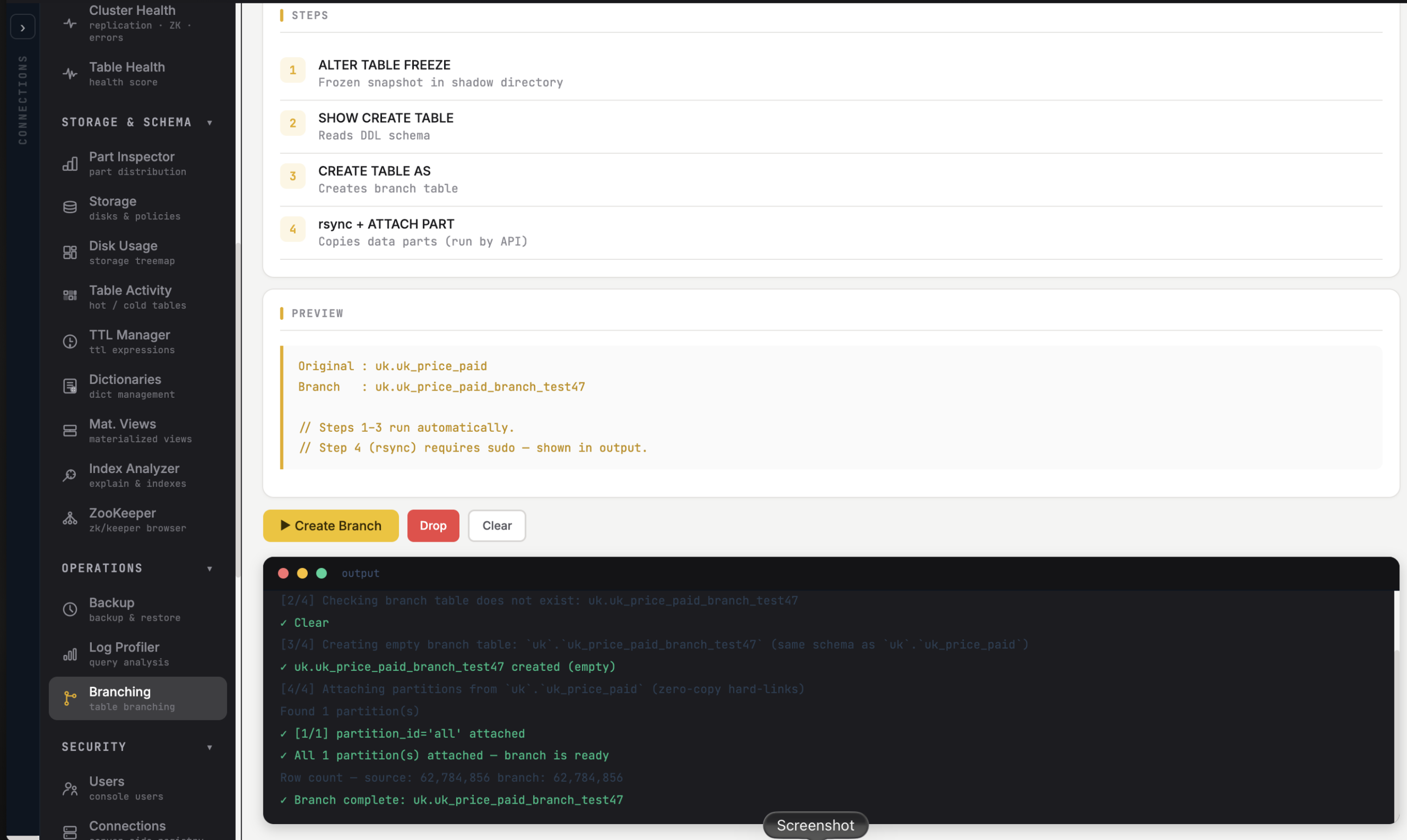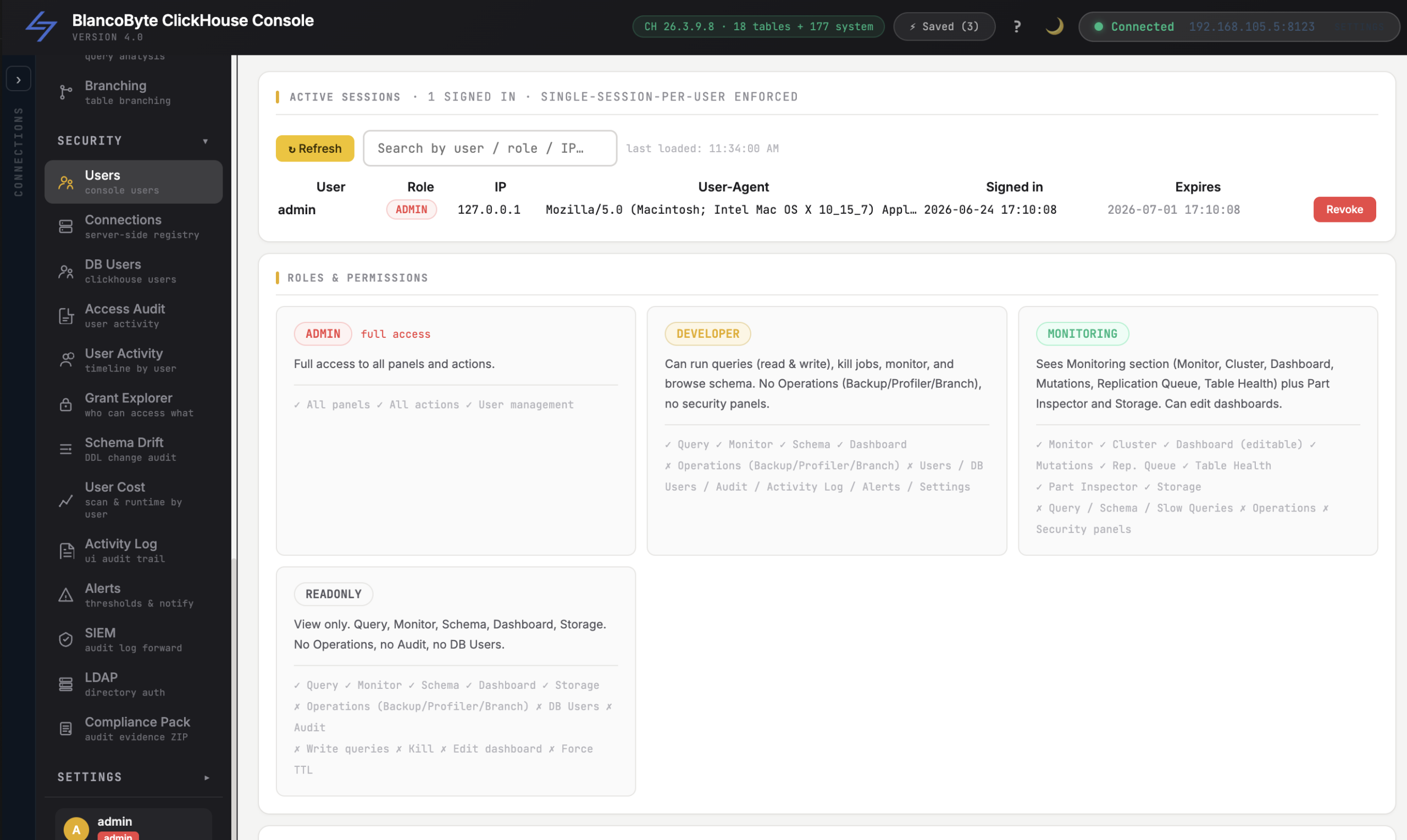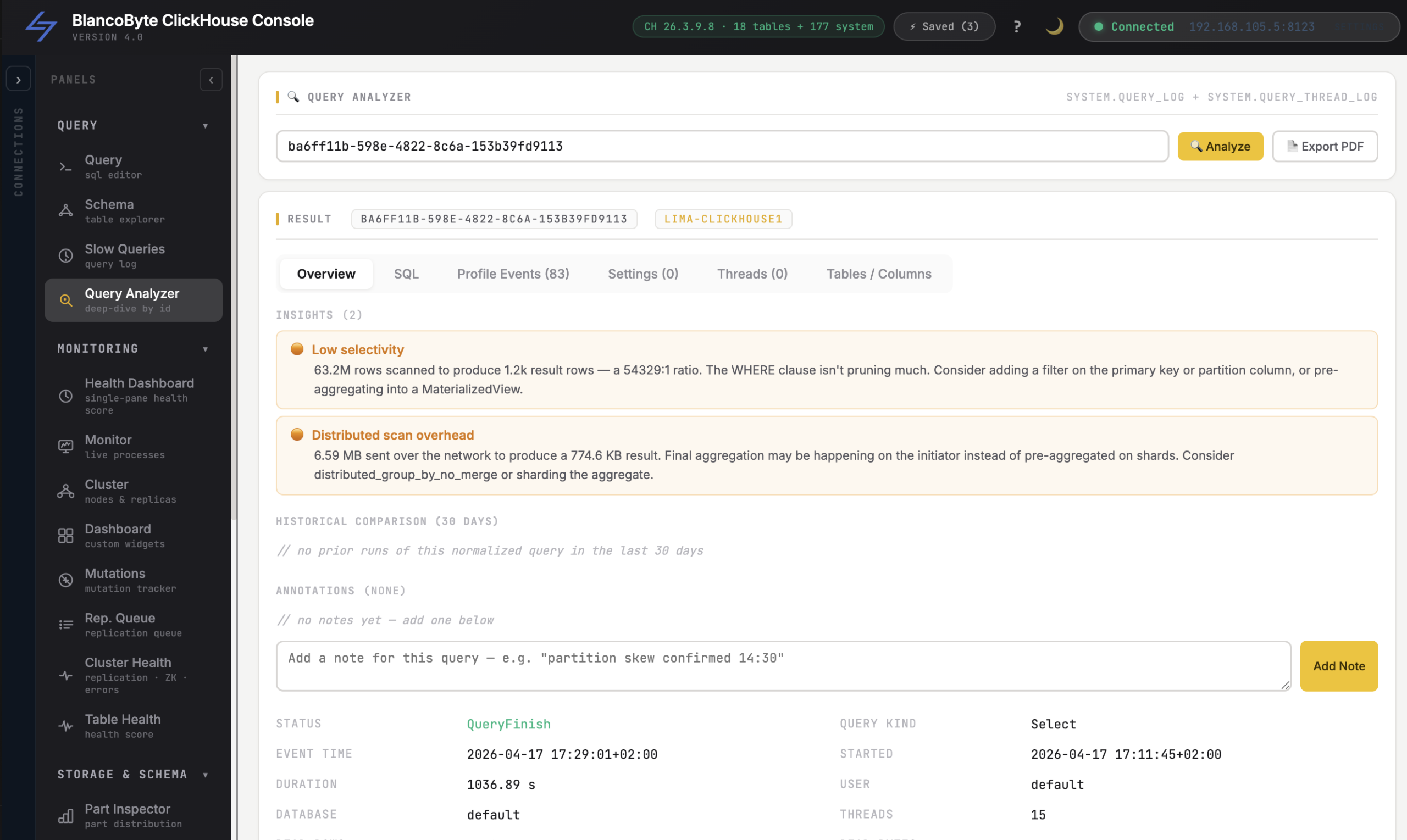


If you’ve ever waited hours for your analytics to catch up with what’s happening in production, you already know the pain. Your PostgreSQL database has the freshest data in the world — but your dashboards are running on last night’s batch job. Change Data Capture (CDC) fixes that. And BlancoByte CDC Connector makes it something any team can deploy in under an hour.
Real-Time Streaming
Every INSERT, UPDATE, and DELETE is captured from the transaction log and delivered to ClickHouse within milliseconds — not hours.
No Code Required
A 5-step wizard guides you through source selection, table picking, and type mapping. Create your first pipeline in under five minutes.
5 Source Databases
Native support for PostgreSQL (logical replication), MySQL (binlog), MariaDB (binlog), MongoDB (Change Streams), and Couchbase (DCP). Pre-configured connectors included.
MongoDB Change Streams
Stream document-level changes from MongoDB via native Change Streams. Nested objects and arrays land in ClickHouse as queryable JSON strings — no schema required upfront.
Couchbase DCP
Stream document mutations from Couchbase via DCP — its native replication protocol. JSON documents are decoded automatically and mapped directly to ClickHouse columns in real time.
Automatic Schema Evolution
New columns in your source database? BlancoByte detects them and adds them to ClickHouse automatically via ALTER TABLE — no downtime.
Full Change History
Every row in ClickHouse carries _cdc_op , _cdc_ts , _cdc_version , and _cdc_deleted — so you always have the complete audit trail alongside the current state of your data.
Live Monitoring
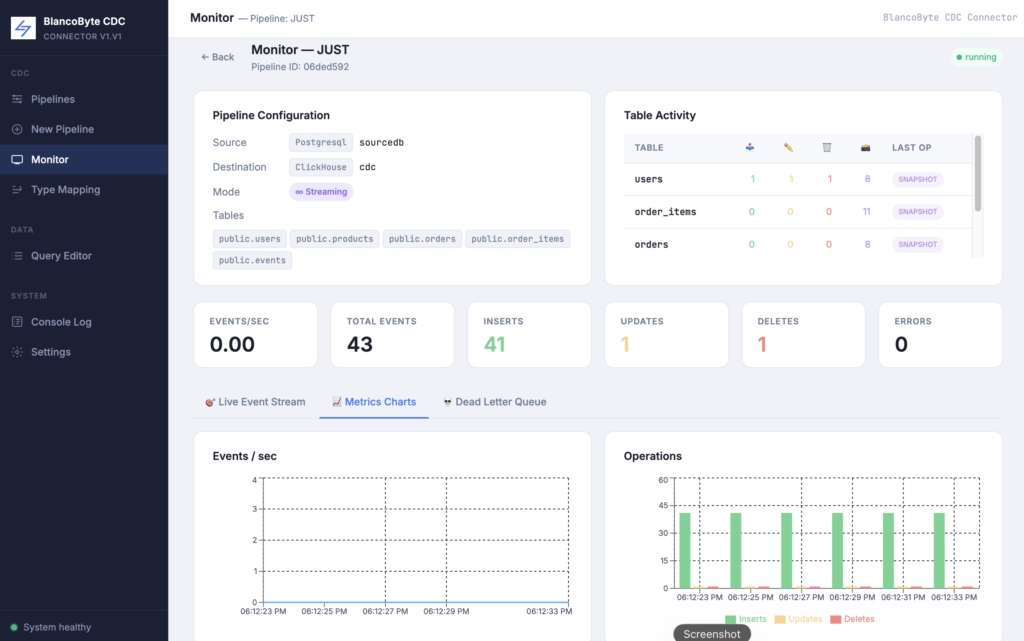
Per-table event counters, events-per-second charts, and a live event stream — all visible from the built-in Monitor page in real time.
Streaming & Batch Modes
Choose continuous streaming for real-time sync that never stops, or one-shot batch mode to snapshot your tables once and move on.
What is CDC and why does it matter?
Change Data Capture is a technique for tracking every INSERT, UPDATE, and DELETE in a database as it happens, and streaming those changes somewhere useful. Instead of running queries like SELECT * FROM users WHERE updated_at > yesterday, CDC reads directly from the database transaction log — the same log the database itself uses for replication and recovery.
This means zero additional load on your production database. No polling queries. No scheduled jobs. Just a continuous stream of every committed change, delivered in order, within milliseconds.
The destination in our case is ClickHouse — one of the fastest analytical databases available. ClickHouse is built for exactly this kind of workload: high-throughput ingestion of time-ordered events, with blazing-fast aggregation queries on top. Combine it with CDC and you get a real-time analytical layer that stays in sync with your production data automatically.
The stack
BlancoByte CDC Connector is built on open-source technologies that have been battle-tested at scale:
Debezium handles the source side. It connects to your database and reads from the transaction log — PostgreSQL’s Write-Ahead Log, the binary log in MySQL and MariaDB, or MongoDB’s Change Streams. Debezium has been doing this reliably for years and handles edge cases like schema changes, reconnections, and large transactions gracefully.
Apache Kafka sits in the middle as the message bus. Every change event is published to a Kafka topic — one topic per table or collection — and consumed by the sink at its own pace. Kafka provides durability: if the sink goes down temporarily, no events are lost. They’re replayed from the last committed offset when it comes back.
BlancoByte Sink is our custom Python service that consumes Kafka topics and writes to ClickHouse. It handles type coercion, schema evolution, batch inserts, and retries. It also exposes a REST API that the web UI calls to create and manage pipelines.
What gets written to ClickHouse
Every replicated table in ClickHouse gets four extra columns alongside your original data:
| Column | Type | What it contains |
|---|---|---|
| _cdc_op | String | INSERT , UPDATE , DELETE , or SNAPSHOT |
| _cdc_ts | DateTime | When the event happened in the source database |
| _cdc_version | Int64 | Kafka offset — monotonically increasing |
| _cdc_deleted | UInt8 | 1 if the row was deleted, 0 if it’s live |
Tables are created with ReplacingMergeTree(_cdc_version) by default. This means ClickHouse automatically deduplicates rows by primary key, keeping only the version with the highest _cdc_version. Add the FINAL keyword to your queries and you always get the latest state — no stale rows, no duplicates.
-- Latest state of all active users
SELECT id, email, balance
FROM cdc.users
FINAL
WHERE _cdc_deleted = 0
ORDER BY id;

-- Full change history for a single record
SELECT _cdc_op, _cdc_ts, balance
FROM cdc.users
WHERE id = 42
ORDER BY _cdc_ts;
This dual capability — current state and full history from the same table — is one of the most useful properties of the CDC approach. You can answer questions like “what was this user’s balance three days ago?” without a separate audit log.
Supported databases
The current release supports five source databases:
PostgreSQL — via logical replication and the pgoutput plugin, built into PostgreSQL 10 and later. This is the most capable setup: it captures all DML operations with full before/after row data, and requires no additional extensions.
MySQL — via binlog replication. Debezium registers itself as a replica and reads the binary log stream. Works with MySQL 5.7 and later.
MariaDB — also via binlog, using the same connector as MySQL. MariaDB’s binary log format is compatible, so the same configuration applies.
MongoDB — via Change Streams, MongoDB’s native real-time event API. Unlike the relational connectors which read transaction logs, Debezium subscribes to the Change Stream on the replica set and receives every document-level change as it happens. This requires MongoDB to be running as a replica set (even a single-node one), which is how the bundled demo is configured.
Couchbase — via DCP (Database Change Protocol), Couchbase’s internal replication stream. The Couchbase Kafka Connector taps into DCP and publishes every document mutation, deletion, and expiration to Kafka in real time. Unlike the other sources, documents arrive as JSON and are mapped directly to ClickHouse columns — no schema required upfront.
All five connectors are pre-configured in the ZIP. When you start a pipeline, the connector is registered automatically via the REST API — you don’t touch any config files.
The web UI
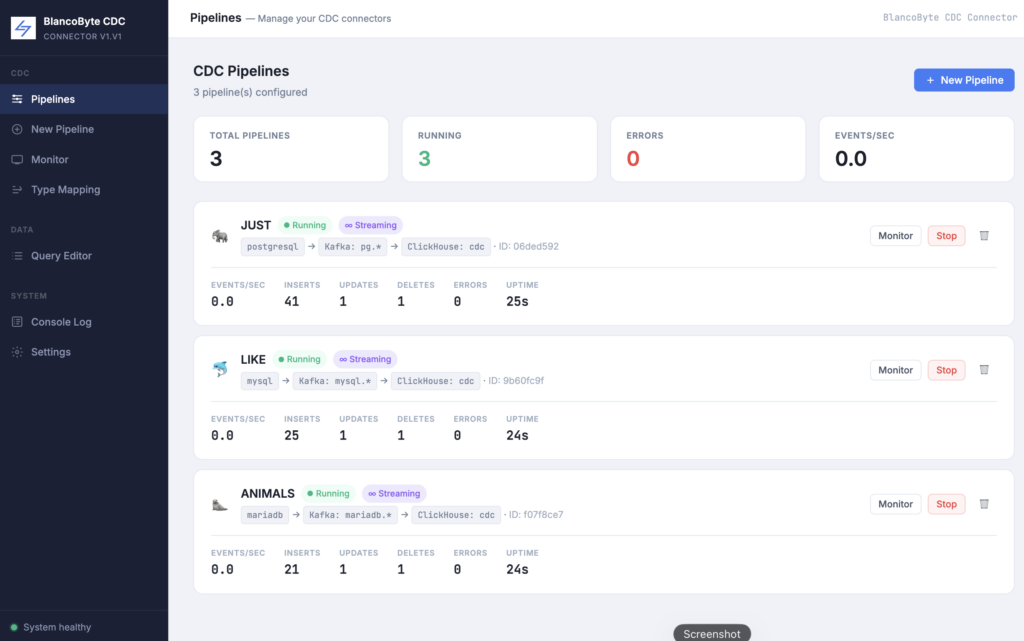
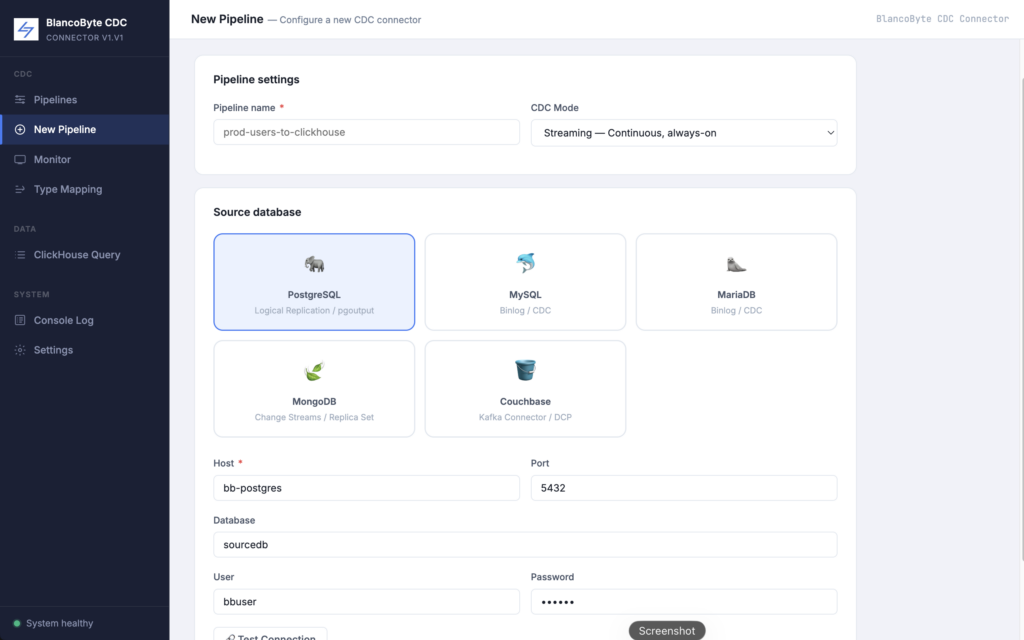
The entire pipeline lifecycle is managed through a React UI served at localhost:3000. Creating a pipeline takes five steps:
- Source — Select your database type and enter connection details. Click Test Connection to verify before proceeding.
- Tables — Browse the schemas and select which tables to replicate.
- Kafka — Configure the broker address and topic prefix. Defaults work out of the box with the bundled Kafka.
- ClickHouse — Enter connection details and choose the destination database.
- Type Mapping — Review the auto-detected column type mappings. Override any column if needed.
After creation, hit Start. The connector registers, ClickHouse tables are created, and the initial snapshot runs. Within seconds you’ll see events flowing in the Monitor page — per-table INSERT/UPDATE/DELETE counters, an events-per-second chart, and a live event stream showing every row as it lands.
Schema evolution
One of the trickier aspects of long-running CDC pipelines is handling schema changes. If you add a column to a table in PostgreSQL, that column starts appearing in the Debezium events — but your ClickHouse table doesn’t have it yet.
BlancoByte Sink handles this automatically. When it encounters a column that doesn’t exist in the destination table, it runs ALTER TABLE ADD COLUMN IF NOT EXISTS before the next batch insert. No pipeline restart required, no manual migration, no data loss.
MongoDB: what’s different
MongoDB is a document database, so a few things work differently compared to the relational sources.
Collections instead of tables. When you create a pipeline from MongoDB, you browse and select collections rather than tables. Each collection maps to a ClickHouse table with the same name.
Nested documents and arrays are stored as JSON strings. MongoDB documents can contain nested objects and arrays. When these arrive via Change Streams, they’re stored in ClickHouse as String columns containing valid JSON. You can query them using ClickHouse’s built-in JSON functions
-- Parse nested items array from MongoDB orders collection
SELECT
    order_id,
    customer_id,
    total,
    status,
    JSONExtractString(item, 'sku')   AS sku,
    JSONExtractFloat(item, 'price')  AS price
FROM cdc.orders FINAL
ARRAY JOIN JSONExtractArrayRaw(items) AS item
WHERE _cdc_deleted = 0
The _id field becomes the primary key. MongoDB’s ObjectId is stored as a string in ClickHouse and used as the ReplacingMergeTree ordering key.
Replica set required. MongoDB Change Streams only work on replica sets. The bundled bb-mongodb container starts with --replSet rs0 and the init container bootstraps the replica set automatically on first run.
To test live CDC from MongoDB, connect to the container and make changes directly:
# INSERT a new customer
docker exec -it bb-mongodb mongosh \
  -u bbuser -p bbpass \
  --authenticationDatabase admin \
  --eval 'db.getSiblingDB("sourcedb").customers.insertOne({
    customer_id: "C006",
    email: "frank@mongodb-demo.io",
    full_name: "Frank Miller",
    country: "FR",
    tier: "gold",
    balance: 15000.00,
    is_active: true,
    created_at: new Date()
  })'

# UPDATE an existing customer
docker exec -it bb-mongodb mongosh \
  -u bbuser -p bbpass \
  --authenticationDatabase admin \
  --eval 'db.getSiblingDB("sourcedb").customers.updateOne(
    { customer_id: "C001" },
    { $set: { balance: 99999.00, tier: "platinum" } }
  )'

# DELETE a customer
docker exec -it bb-mongodb mongosh \
  -u bbuser -p bbpass \
  --authenticationDatabase admin \
  --eval 'db.getSiblingDB("sourcedb").customers.deleteOne(
    { customer_id: "C004" }
  )'
Then query ClickHouse to see the changes land within a second:
SELECT customer_id, full_name, tier, balance, _cdc_op, _cdc_deleted
FROM cdc.customers FINAL
ORDER BY customer_id
Couchbase CDC: Streaming NoSQL Changes into ClickHouse
BlancoByte CDC Connector now supports Couchbase as a fifth source — joining PostgreSQL, MySQL, MariaDB, and MongoDB.
How it works
Couchbase exposes DCP (Database Change Protocol), its internal replication stream. The Couchbase Kafka Connector taps into DCP and publishes every document mutation to Kafka. BlancoByte Sink consumes the topic and writes each document’s fields into ClickHouse automatically.
What’s included
The bundled bb-couchbase container comes pre-seeded with five employee documents in the sourcedb bucket. Create a pipeline in the UI, hit Start, and data flows into ClickHouse within seconds.
To test live CDC:
curl -s -X POST http://localhost:8093/query/service \
  -u bbuser:bbpass123 \
  -d 'statement=INSERT INTO sourcedb (KEY, VALUE) VALUES
    ("emp:1006", {"name":"Frank Miller","department":"DevOps","salary":98000})'
Query it immediately in ClickHouse:
SELECT META_ID, name, department, salary FROM cdc._default FINAL WHERE _cdc_deleted = 0
PostgreSQL: WAL-based logical replication
PostgreSQL is the most capable source in the connector. It uses logical replication — specifically the pgoutput plugin that ships built into every PostgreSQL 10+ installation. No extensions to install, no plugins to compile.
When you start a pipeline, Debezium creates a replication slot on the PostgreSQL server. From that point on, every committed transaction is streamed through the slot in real time. The connector captures the full before and after image of every row, which means you get not just what a row looks like now, but what it looked like before the change.
MySQL: binlog replication
MySQL uses its binary log — the same mechanism MySQL uses for primary-replica replication — to capture changes. Debezium registers itself as a logical replica on the MySQL server and reads the binlog stream in real time.
The connector requires binlog_format=ROW and binlog_row_image=FULL, both of which are pre-configured in the bundled MySQL container. Row-level format means the binlog contains the full before and after values of every changed row, not just the SQL statement that caused the change.
MariaDB: binlog replication
MariaDB uses the same replication protocol as MySQL, so the same Debezium connector handles both. The binary log format is compatible, and all the same requirements apply — ROW format, FULL row image.
The pre-configured connector uses server_id=556677 to avoid conflicts if you’re running MySQL and MariaDB pipelines simultaneously.
Getting started
Everything runs with Docker Compose. The ZIP includes all the services — Debezium, Kafka, ZooKeeper, ClickHouse, the sink, and the UI — pre-configured and ready to start.
cd blancobyte-cdc
docker-compose build --no-cache
docker-compose up -d
Open http://localhost:3000 when the containers are healthy. The demo databases (PostgreSQL, MySQL, MariaDB) are pre-seeded with sample data so you can create a pipeline and watch the snapshot run immediately — no external database required.
To test live CDC, make a change in one of the demo databases and watch it appear in ClickHouse within a second:
docker exec -it bb-postgres psql -U bbuser -d sourcedb -c \
  "UPDATE users SET balance = 9999.00 WHERE id = 1;"
The Monitor page will show the UPDATE event, the per-table counter will increment, and if you run SELECT * FROM cdc.users FINAL WHERE id = 1 in the Query Editor, you’ll see the new balance immediately.
What’s next
The v1.1 release focuses on the core pipeline — source connectors, the sink, and the management UI. Planned for upcoming releases:
- Column filtering — replicate only the columns you need
- S3 / object storage sink — write CDC events to Parquet files in S3 alongside ClickHouse
- Pipeline scheduling — run batch pipelines on a cron schedule
- Alerting — notify when a pipeline falls behind or errors spike
- External Kafka support — connect to your own Kafka cluster instead of the bundled one
BlancoByte CDC Connector is available now. Download it, run it locally, and let us know what you think. If you’re looking to deploy this in production or need help designing a real-time data architecture for your stack, reach out — we’re happy to help.